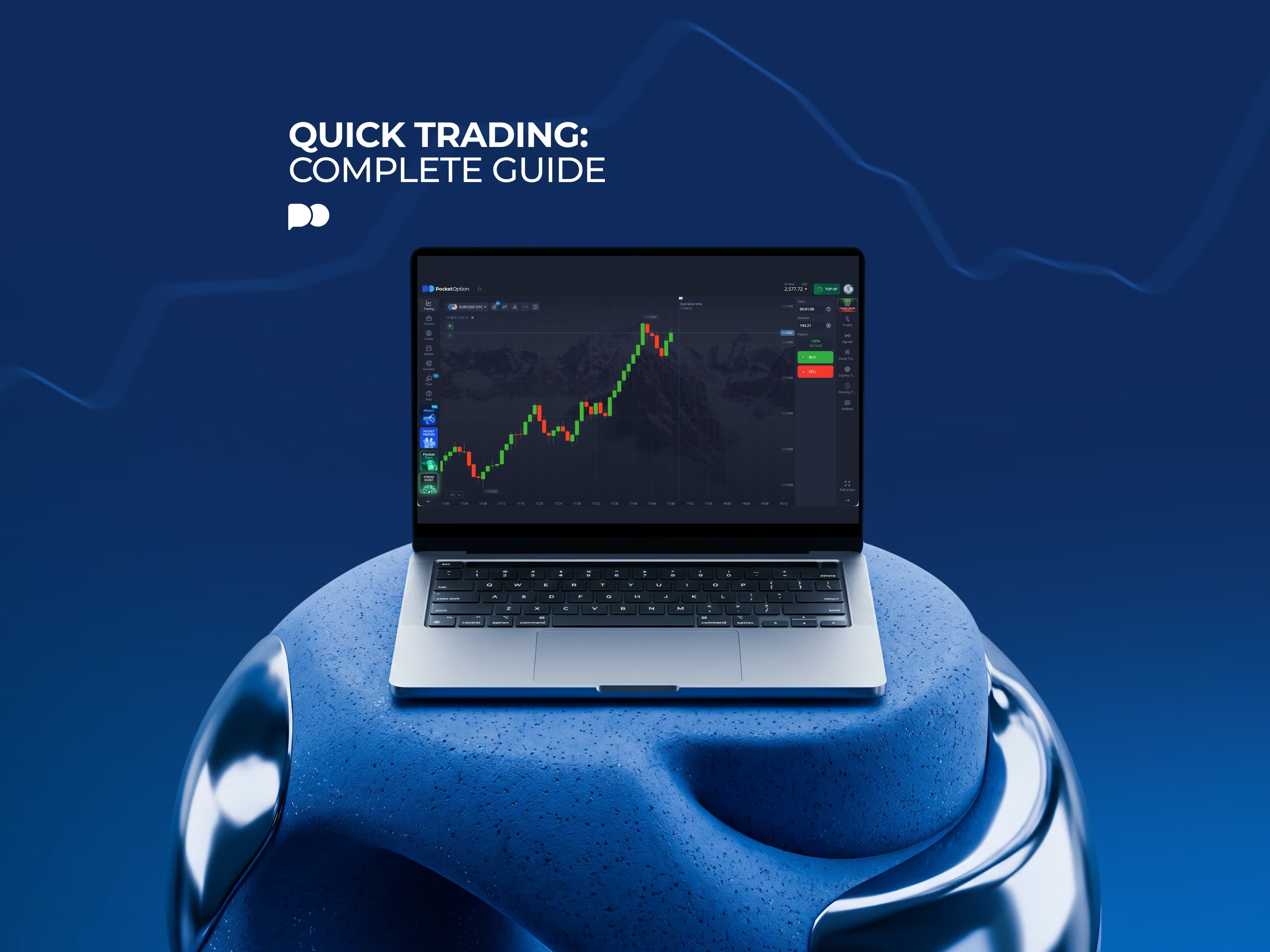
Quick trading: Complete Guide
Pocket Option has a mode for fast, fixed-time trades, and it is called Quick Trading. You pick an asset, a stake and a time, and say if the price goes higher or lower. Simple, but potentially quite powerful.

What Is Quick Trading
The Quick Trading mode allows for a kind of forecast trading. You don't buy the asset itself, but you try to predict the direction of its price. Will it be higher or lower than when you opened the trade, in a set amount of time? The time can be as low as 3 seconds, or as high as 4 hours, but you can’t change it after you have placed a trade. You can adjust the clock only before opening a position.
In one line, Quick Trading explained like this: guess the time and the price direction (not even the valuation) right, and the stake comes back to you, with an additional fixed payout. Guess wrong, and the stake is gone.
Your potential maximum profit (the payout percentage) shows up before you click, and so does the amount you can lose. Neither one shifts after the trade is running, so the losses are fixed, which is one of the advantages of this mode. Because of this, quite a lot of newcomers tend to find it easier to start with than other price prediction trading products.
Quick Trading vs Short-Term Stock Trading: Two Meanings of “Quick Trading”
The phrase may get used in other ways, one not involving Pocket Option at all. Out in the wider market, to do quick trading can mean to buy actual shares, and sell them soon after that (possibly inside the same day, or even within the same hour). It’s the same as short-term trading stocks, which often is done on spot, with actual shares being owned in the process.
On Pocket Option though, Quick Trading (with capital letters, sometimes spelled ‘QT’) is the name of a product, a specific way of trading, a section on the platform, same as Shares Trading, or Forex Trading (this is done through MT4 and MT5). Nothing gets bought, only a forecast on the price is made over a set stretch of time. The result is fixed by the payout rather than by how many cents the stock happened to move in that window. Words are the same, but those two ‘quick tradings’ are quite different things. This guide covers the second one.
Key Terms Every Beginner Should Know
Specifically for how Quick Trading works, a few terms are relevant:
Asset: for what the price is being forecasted. Can be a currency pair, metals price, a stock price, a crypto coin price, or an index price.
Trade amount: what is at stake, for a trade. Minimum is $1, and the top limit hangs on your profile level.
Expiry time: how long the trade will run, before it gets settled. Picked from presets or keyed in by hand, with quite a wide time range on offer.
Payout: the % of the stake paid on top when the forecast is right. The expiry time and payout both show before you confirm anything.
OTC: over-the-counter versions of assets. Those continue quoting even when the main market is shut. Those can be traded at night or at the weekends.
AI Trading: a built-in mode that settles on a direction and an expiry by itself, without needing input from the user. It’s quite complex, for more on this you can read our guide on how Pocket Option AI Trading works.
Demo account: same charts, but virtual balance, and so it’s free trading without any chance for money losses.
How a Quick Trade Works: A Worked Example
Numbers make it easier to see how Quick Trading works, so here is a made-up trade, for illustration only. EUR/USD is sat at 1.17250. You stake $10 on it going up, expiry one minute, with the payout showing 92%.
Say price at expiry is 1.17268, a touch above the opening level. The forecast was right, so the $10 comes back with $9.20 on top, $19.20 in all. Now say it shuts at 1.17231 instead. Forecast wrong, $10 gone, and there's nothing to argue over, since the size of the move doesn't come into it either way.
Which brings in the one sum every beginner ought to do early on. At a 92% payout a win pays $9.20 and a loss costs $10, so merely to break even you have to be right about 52.1% of the time, roughly. Drop the payout and that bar climbs fast, and quicker than most people expect.
What You Can Trade With Quick Trading
The asset list runs long, currency pairs, commodities, stocks, indices and crypto, and a great many of them come in OTC versions too, which go on quoting through weekends and holidays when the regular market is closed. OTC prices can wander off from the main market, so they're best handled as a separate thing and not a copy of it.
Payout isn't the same on everything, and the gap is wider than newcomers tend to reckon on. At the time of writing it looks like this, though payouts get adjusted with market conditions, so the number on the screen is the one that counts:
Asset | Payout at the time of writing | Win rate needed to break even |
|---|---|---|
Most assets | 92% | ~ 52.1% |
Gold | 88% | ~ 53.2% |
Some other assets | 50% - 70% | ~ 58.8% - 66.7% |
Bitcoin (BTC) | 15% sometimes | ~ 87.0% |
Payouts and what's on offer can shift about by asset and by region. A 15% payout on BTC means being right nearly 9 times in 10 just to stand still, which is why it pays to glance at the payout before glancing at the chart.
Quick Trading on Stocks: How It Works
Quick trading stocks on Pocket Option means forecasting where a share price will sit at expiry, without buying the share at all. No dividends come your way, no voting rights either, and the full share price isn't needed, a $1 stake is enough to open a trade on a stock priced at a few hundred dollars a share.
Stocks keep their own rhythm. Regular quotes follow the exchange's hours, so the busiest spells tend to be around the open and the close, and earnings days can throw the price about a good deal more than usual, in both directions. For short expiries that counts for a lot, since one headline is apt to decide the trade inside a minute.
It parts ways with short-term stock trading in one key respect. Own the shares, and a small drop costs a small amount and you can hold on and wait it out. A quick trade has an end time, once it's up, result is locked in, wait or no wait.
How to Place Your First Quick Trade Step by Step
The steps run the same on the web platform and in the app, more or less exactly. A fuller walk-through with screenshots sits in our guide to placing a trade on Pocket Option, and the short version goes:
Pick the asset from the panel above the chart, and check the payout next to it before anything else.
Set the trade amount with the minus and plus buttons or type it in, starting small being the usual advice.
Choose the expiry time in the Time menu.
Look the chart over. Confirm trend, recent highs and lows, check if any news are due to be out.
Click the green button if price looks set to be higher at expiry and the red one if lower, then leave it be till the timer runs down.
Set up Pocket Option and pick an asset
Get StartedHow to Analyze the Market Before You Trade
It depends on the time frame and the asset. Analysis for a one-minute trade is quite different from a 4-hour one. Very short expiries are quite risky, and respond well only to fast-moving indicators, if any. Folk who last at this tend to keep it simple: trade in the direction of the overall larger trend, check the news, and mark the levels where price has turned before. In the minutes around big news releases, they tend to stay out of the market, because spikes can happen in both directions.
Pocket Option has plenty of indicators to use, such as MACD, RSI, and moving averages, to name a few. Those can increase the chance of a successful outcome. There is a sentiment indicator, showing what the majority of traders currently think, and how they are positioned. This can be quite a useful metric on the short-term timeframes.
There’s also social trading at Pocket Option, which lets you follow and copy the trades that other traders on the platform are doing. As well as AI Trading, which picks a direction and an expiry for you, automatically, based on the internal algorithms. AI trading has different modes as well, like a martingale-style one that raises the stake after a loss, and a parlay-style one that rolls a win into the next trade. With both social trading, and AI trading, analyzing the market by yourself is no longer a necessity at Pocket Option.
Quick Trading vs Owning Assets vs Leveraged Trading
There are three broad ways to act on the same idea. Say an idea that gold is headed up. These three are quite different:
Feature | Quick Trading | Owning the asset | Leveraged trading |
|---|---|---|---|
What you get | A fixed payout (if forecast is right) | The asset itself | Exposure larger than the deposit |
Most you can lose on one trade | The trade amount | Whatever the asset loses | The margin, and on some accounts more |
What sets the result | Direction at expiry | Price when you sell | Size of the move times the leverage |
Time limit | Fixed expiry | None | None, but financing costs can apply |
Pocket Option runs both quick trading, and leveraged trading. This forex comparison of the two styles of trading lays out where they part ways, and how this applies to risk.
Risks of Quick Trading Beginners Should Know
None of the risks are hidden away, but they're easy to underrate when trades last seconds:
The whole trade amount can be lost on every trade, with no such thing as a partial loss.
Payout sits below 100%, so a coin-flip approach loses money over time, slowly but surely.
Speed. Dozens of trades an hour make it easy to lose track of how much has gone out.
Is a winning streak on 5-second trades proof of skill? Mostly not, at that length price moves are close to random.
Results aren't guaranteed on any asset or at any expiry, and payouts on OTC assets can shift too.
Trading for beginners goes better when losses are expected from the start and sized so a bad day can't sink the account, and a fixed small share per trade is the common way of doing that.
Practice First: The Demo Account
Pocket Option has a demo account running on virtual money, same assets, same charts, same buttons. It costs nothing and nothing real is at stake, which is the whole point of it. A sensible way to use the thing is to set rules first, stake size, expiry, how many trades in a day, and then stick to them over a good few dozen trades before judging anything at all. Demo results do come out a touch flattering, there being no real-money nerves involved, so a plan that only just works there is unlikely to hold up live.
Pocket Option trading, for free
Try DemoCosts, Deposits and Withdrawals
No separate commission gets charged per quick trade. The cost is tucked inside the payout: being paid 92% for a correct forecast instead of 100% is in effect the price of the trade, and it's why break-even lands above 50% and not on it.
Deposits and withdrawals go through whatever methods are offered in your region, cards, e-wallets and crypto amongst them, with limits and processing times set out on the cashier pages. Identity checks are usually asked for before the first withdrawal, so getting them done early saves a wait further down the line. Worth knowing as well, Pocket Option doesn't serve every country, and residents of the EEA, the USA, the UK and several others are excluded.
Common Beginner Mistakes
Most of the damage traces back to a short list of habits, and they repeat from one newcomer to the next:
Ignoring the payout, and trading an asset at 15% as though it paid 92%.
Doubling the stake after each loss to win it back, the martingale reflex, which can empty an account in a handful of trades.
Revenge trading after a bad run, a pattern trading psychology for beginners goes into at length.
Going straight to the shortest expiries. Why start where the outcome is nearest to a coin flip?
Skipping the demo, or walking away from it after three lucky trades.
Conclusion
Quick Trading on Pocket Option is a forecast on direction over a fixed time, with the stake as the most that can be lost and the payout as the most that can be won. Check the payout and the break-even rate before each trade, keep stakes to a small fixed share of the balance, treat AI Trading and copied trades as aids rather than answers, and practice on the demo till the rules get followed without thinking.
Start real Quick Trading now
RegisterDisclaimer: Quick Trading carries risks, as you may end up losing the full amount you put into each trade. Past results do not guarantee future returns.
See more:Knowledge baseMarkets