
How to Place a Trade on Pocket Option: Step-by-Step
Learn how to place trades on Pocket Option with this simple guide for beginners and experienced traders.

How to Place a Trade on Pocket Option: Step-by-Step Guide
Now that you're familiar with the platform, let's walk through the process of how to place a trade on Pocket Option:
| Step | Action |
|---|---|
| 1 | Select an asset to trade |
| 2 | Choose the trade amount |
| 3 | Set the trade time |
| 4 | Analyze the market |
| 5 | Click "Buy" (for a price increase) or "Sell" (for a price decrease) |
Let's break down each step in more detail:
1. Select an Asset
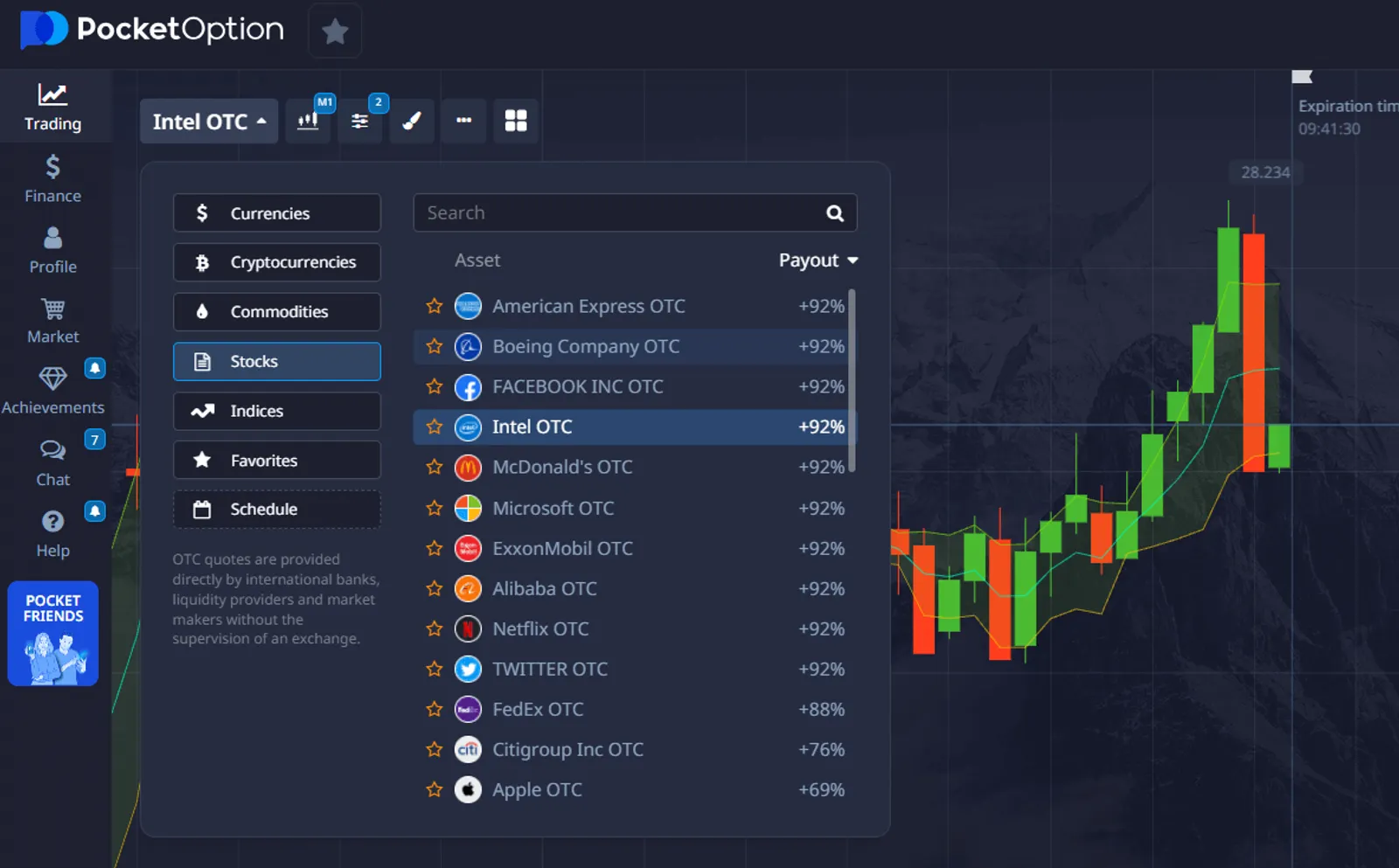
The first thing you need to do is choose the asset you want to trade. To do this, go to the central panel located above the main chart. In this section, you'll find a list of available trading assets. Pick the one that you want to trade, whether it's a currency pair, commodity, or stock.
2. Choose the Trade Amount
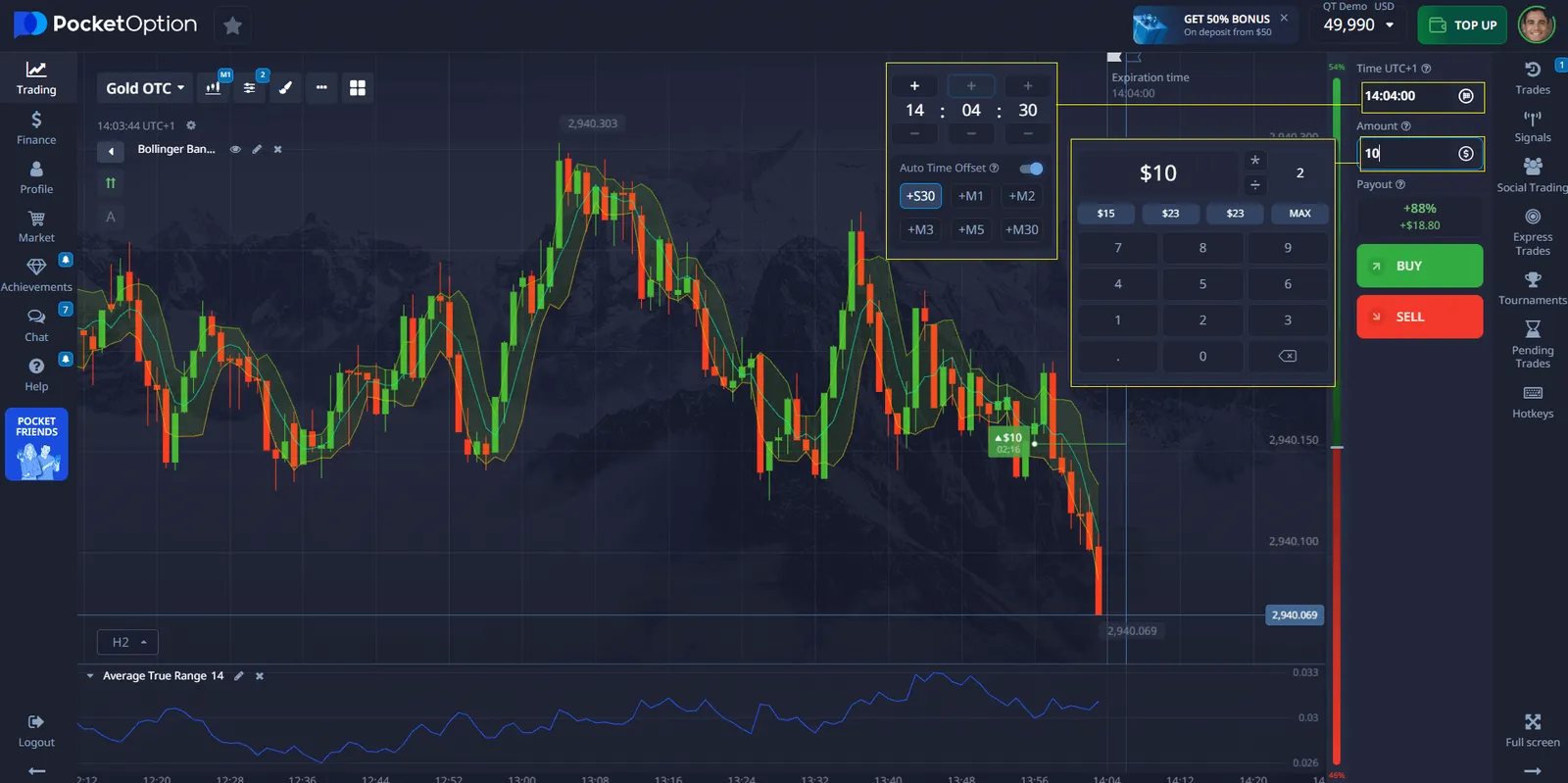
Next, adjust the trade amount by clicking on the "-" and "+" buttons in the "Trade amount" section of the trading panel. Alternatively, you can click on the current amount displayed, which will allow you to manually enter the required amount or multiply/divide it. The minimum trade amount is $1, and the maximum trade amount depends on your profile level.
3. Set the Trade Time
To choose the purchase time, click on the "Time" menu in the trading panel. This menu lets you select from a variety of popular time frames, or you can set your own custom time frame, depending on your trading strategy.
4. Analyze the Market
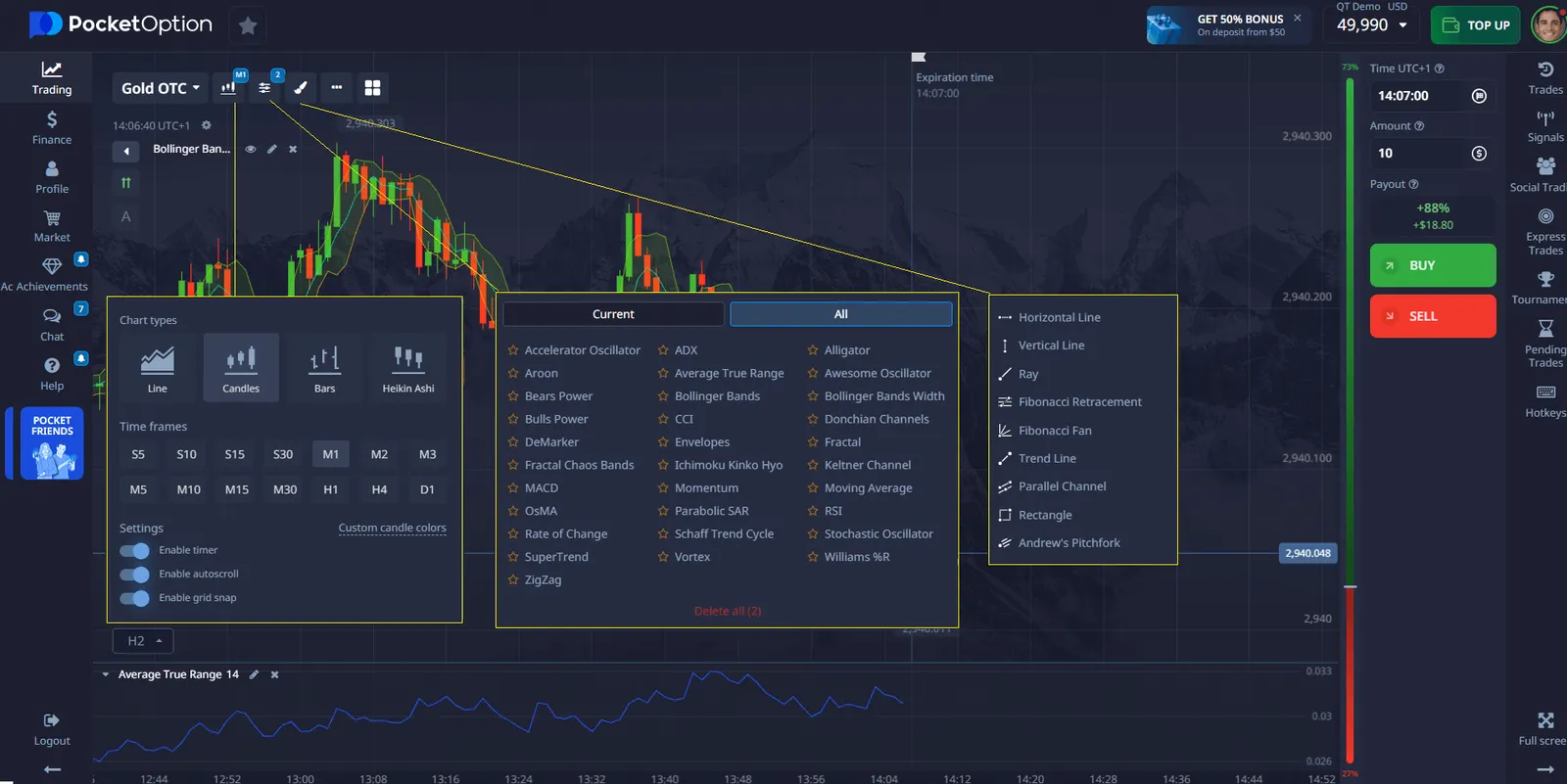
Before placing your trade, it's important to analyze the market conditions. Use the chart and other available tools on Pocket Option to help you predict whether the price of your selected asset will rise or fall. Consider factors such as trends, support and resistance levels, and any relevant news or events that could impact the price movement.
5. Place the Trade
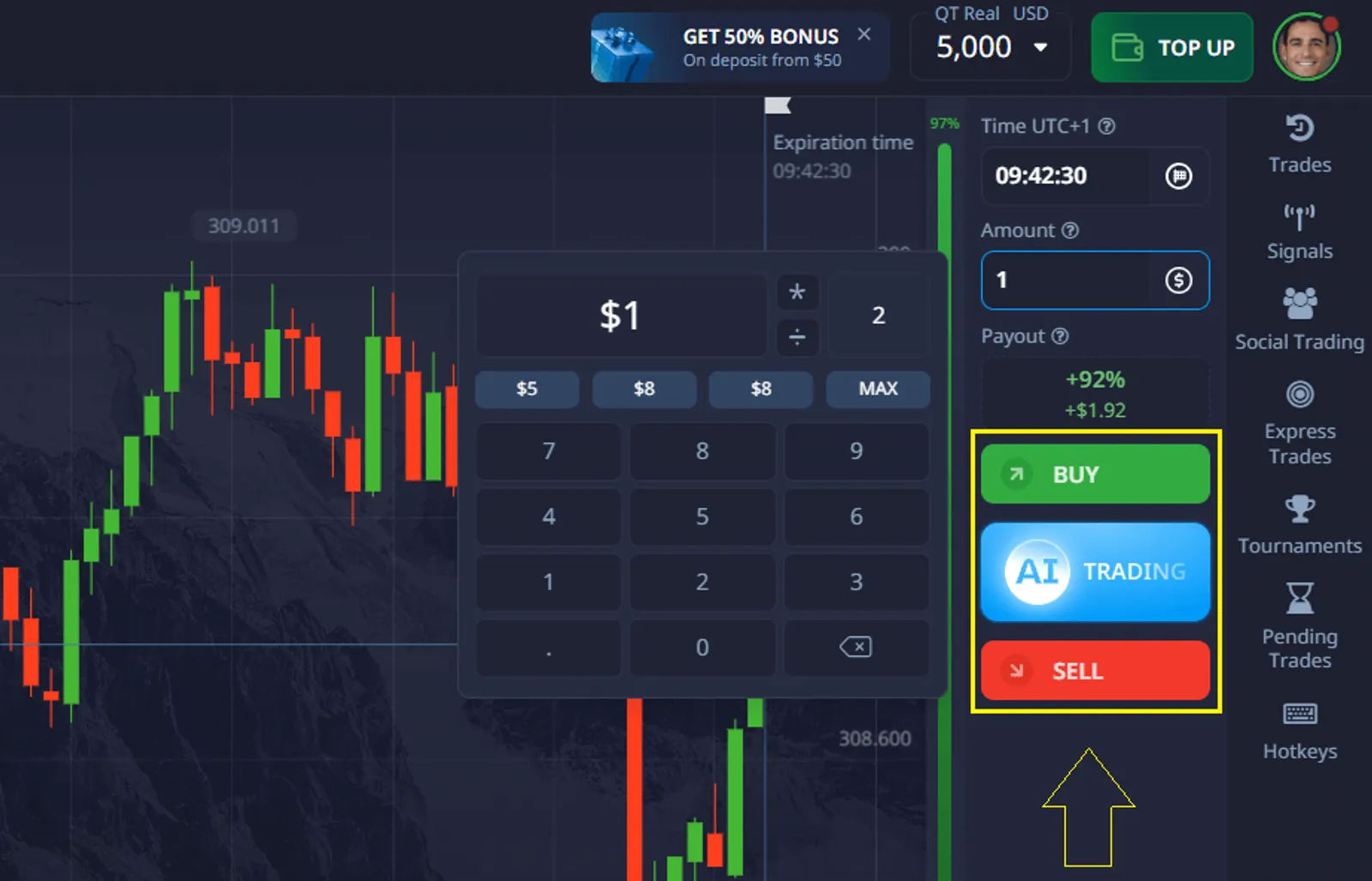
Based on your analysis, click "Up" if you believe the price will rise, or "Down" if you think it will fall by the expiry time.
Once you've analyzed the market and are ready to make your prediction, it's time to place the trade.
- Click the Green Button if you believe the price of the asset will go up.
- Click the Red Button if you believe the price will go down.
The buttons are clearly labeled, and you simply need to click the one that aligns with your prediction.
Advanced Trading Features on Pocket Option
As you become more comfortable with how to place a trade on Pocket Option, you might want to explore some of the platform's advanced features:
- Social trading
- Copy trading
- Technical indicators
- Demo account for practice
These features can help you refine your trading strategy and potentially improve your results.
See more:howplatformKnowledge baseTrading