
How to Verify Pocket Option Account
Account verification on Pocket Option is essential to unlock all features and ensure secure trading. Here’s how to complete it.

How to Verify Pocket Option Account
The Pocket Option account verification process includes confirmation of email and, if necessary, identity, confirmation of residence and verification of payment details. Once this process is complete, users will have full access to all platform features.
Why is Verification Necessary?
Verification on Pocket Option is required for all users who want to use the platform without limitations. The main purposes of this procedure are:
- Ensuring security – preventing fraud and protecting accounts from unauthorized access.
- Compliance with KYC and AML standards – the platform must verify clients' personal data to meet regulatory requirements.
- Unlocking account functions – after successful verification, users can withdraw funds, increase trading limits, and utilize all platform features.
Main Steps for How to Verify Pocket Option Account
The identity confirmation procedure on Pocket Option consists of several mandatory steps. They must be completed sequentially to avoid delays.
| Step | Required Information | Verification Time |
|---|---|---|
| Email confirmation | Click the link in the email | Instantly |
| Identity verification | Passport / ID / Driver’s License | Up to 24 hours |
| Address verification | Utility bill / bank statement (issued within the last 3 months) | Up to 48 hours |
| Bank card verification | Photo of the card (first and last 4 digits visible) | Up to 48 hours |
Email Confirmation
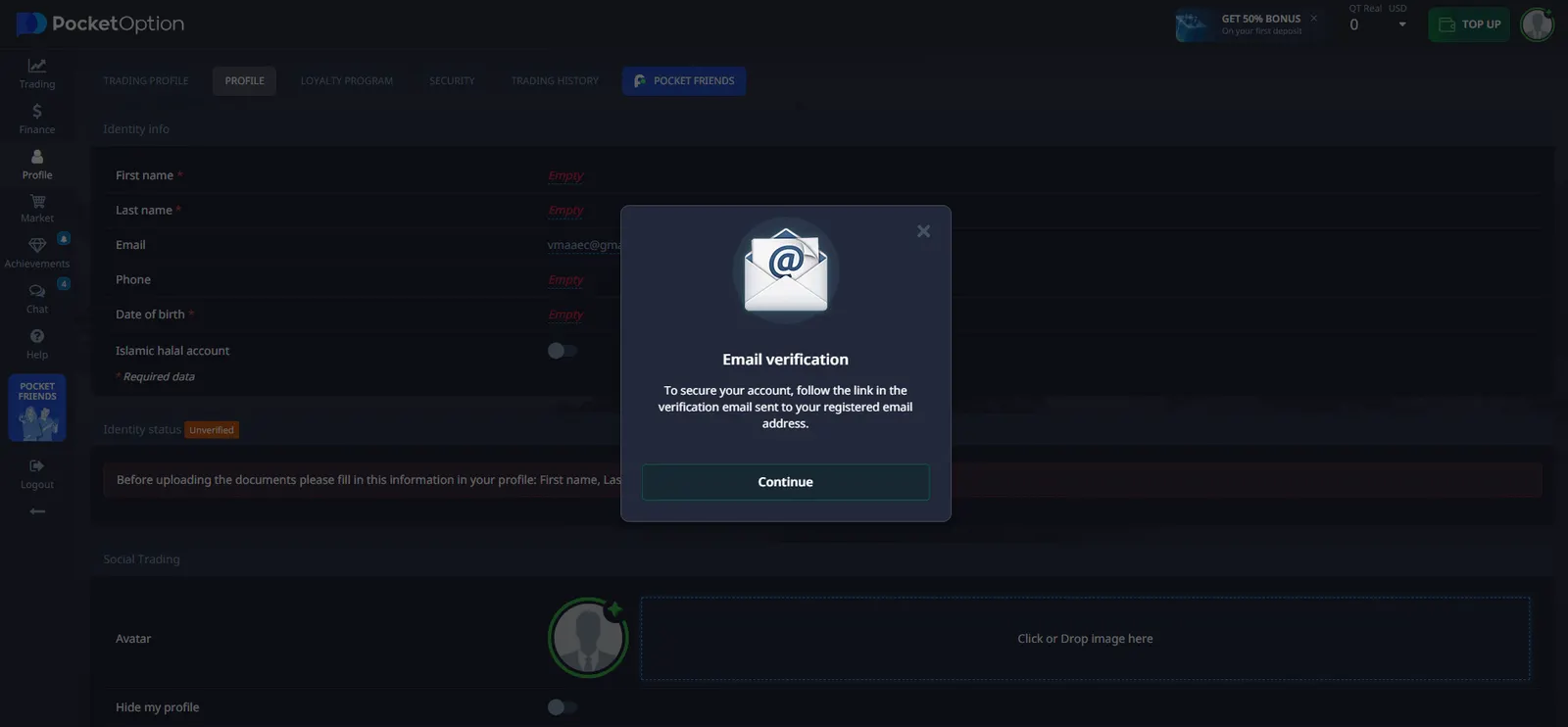
How to verify Pocket Option account through Email? The first step is email confirmation. Immediately after registration, the platform sends an email with a unique link.
Steps to confirm your email:
- Open the email from Pocket Option.
- Click on the provided link.
- Ensure your account is activated.
If the email does not arrive, check the Spam folder or use the resend function in your profile. If you still don’t receive the email, contact customer support.
Accessing the Profile and Entering Personal Information
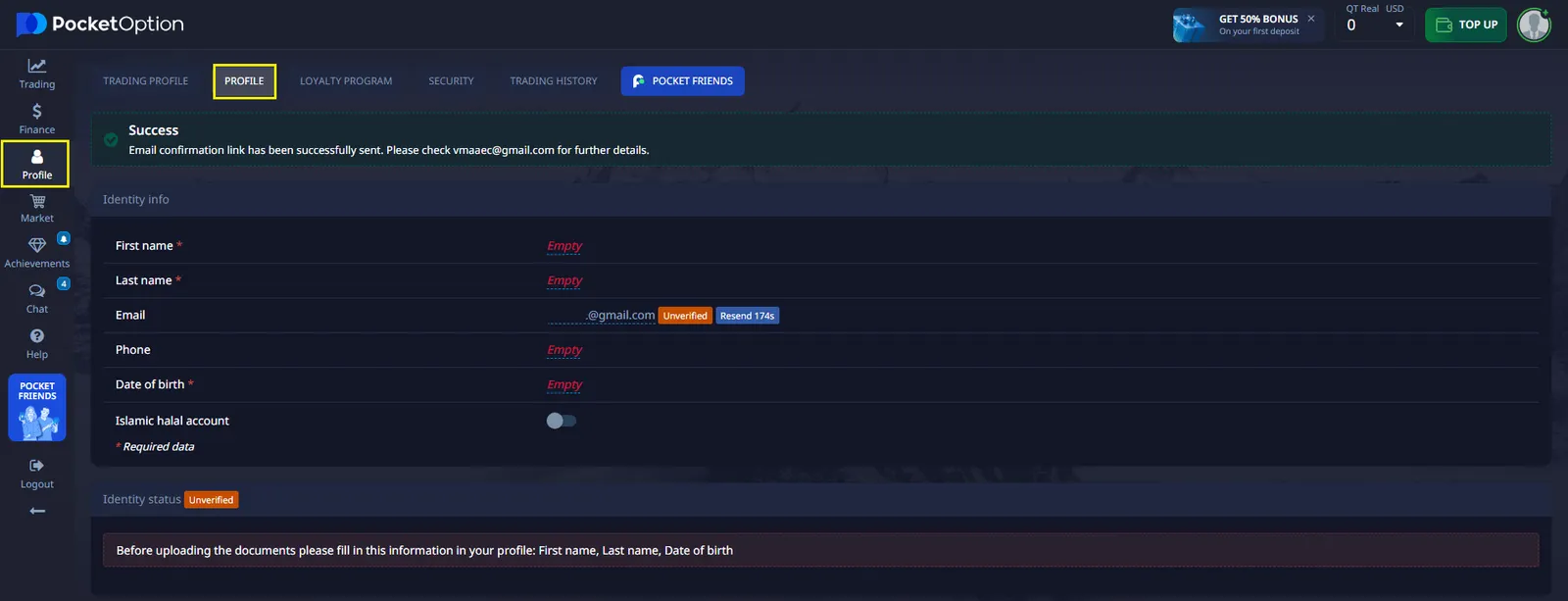
- Log into your account on the Pocket Option platform.
- Navigate to the Profile section, where you must provide personal details.
- Fill in the following information:
- First and last name
- Email address
- Phone number
- Date of birth
- Verify that the information matches what was provided during registration.
- Select your country of residence.
- Click “Continue” to proceed to the next step.
Identity Verification
To verify identity, users must upload one of the following documents: a passport, a driver’s license (both sides), or a national ID card.
| Requirement | Description |
|---|---|
| Document type | Passport, ID card, or driver’s license (both sides) |
| Image quality | High-resolution, no blurry areas |
| Completeness | All document edges must be visible |
Many users ask, what is the document ID on Pocket Option? The document ID refers to the unique identification number found on a passport, national ID card, or driver’s license. This number is used to verify your identity and must be clearly visible in the uploaded document.
Documents must be colored, clear, unedited, and fully legible. The verification process takes up to 24 hours.

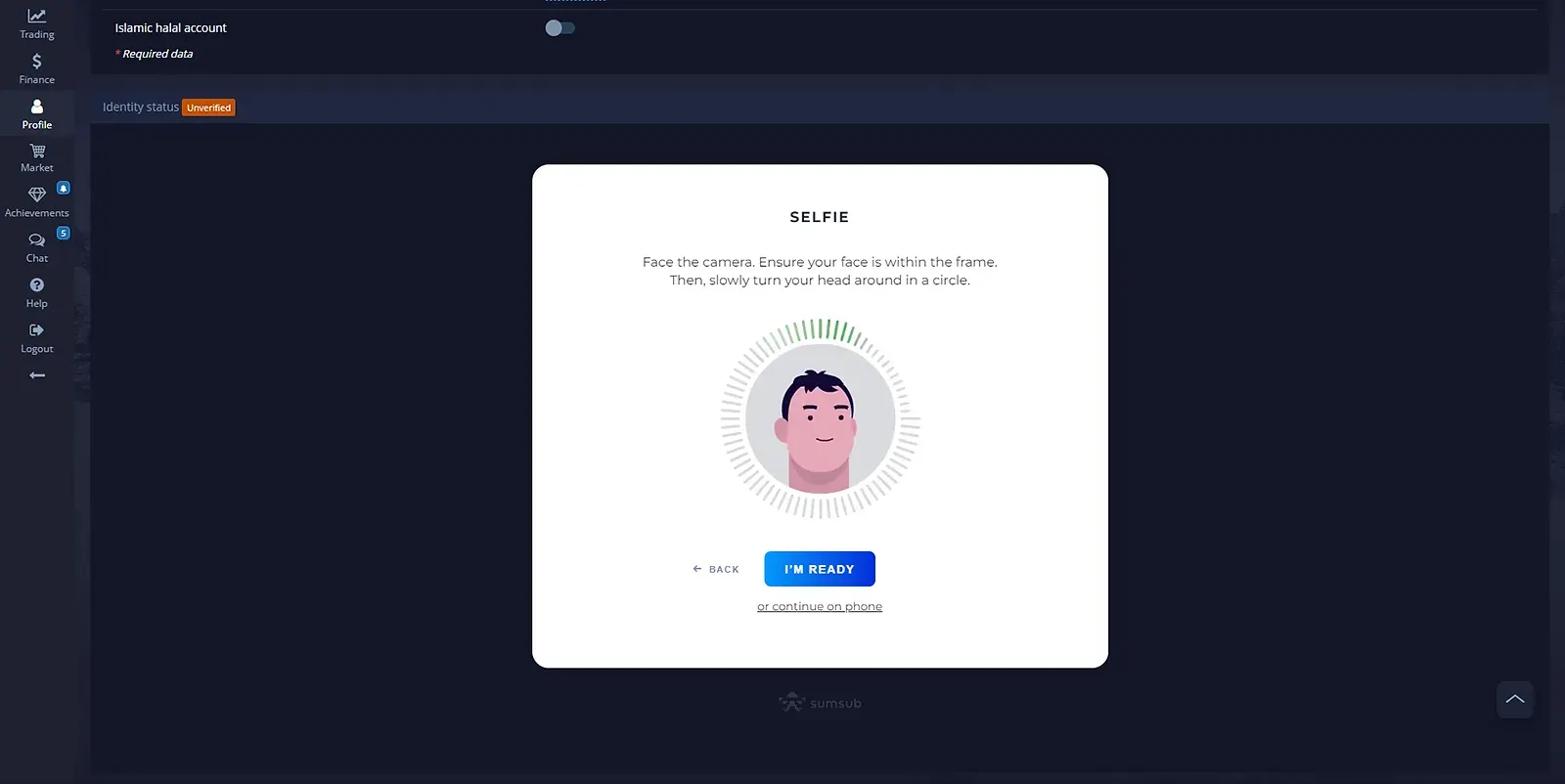
After uploading documents, users must take a selfie for biometric identity verification.
Steps for a successful selfie upload:
- Open your camera on a laptop or smartphone.
- Position your face within the designated frame, following on-screen instructions.
- Ensure that:
- The image is clear, without blurriness.
- Your face is centered in the frame.
- There are no obstructions or filters.
- Take selfies following the system's prompts.
This step helps the platform verify that the account owner matches the provided documents.
After uploading all required data, the Pocket Option system will process them.
| What happens after submission? | What to do? |
|---|---|
| Documents are being reviewed | Check the verification status in your profile |
| Processing time – up to 48 hours | Wait for a confirmation email |
| If rejected, re-upload may be required | Submit new documents if necessary |
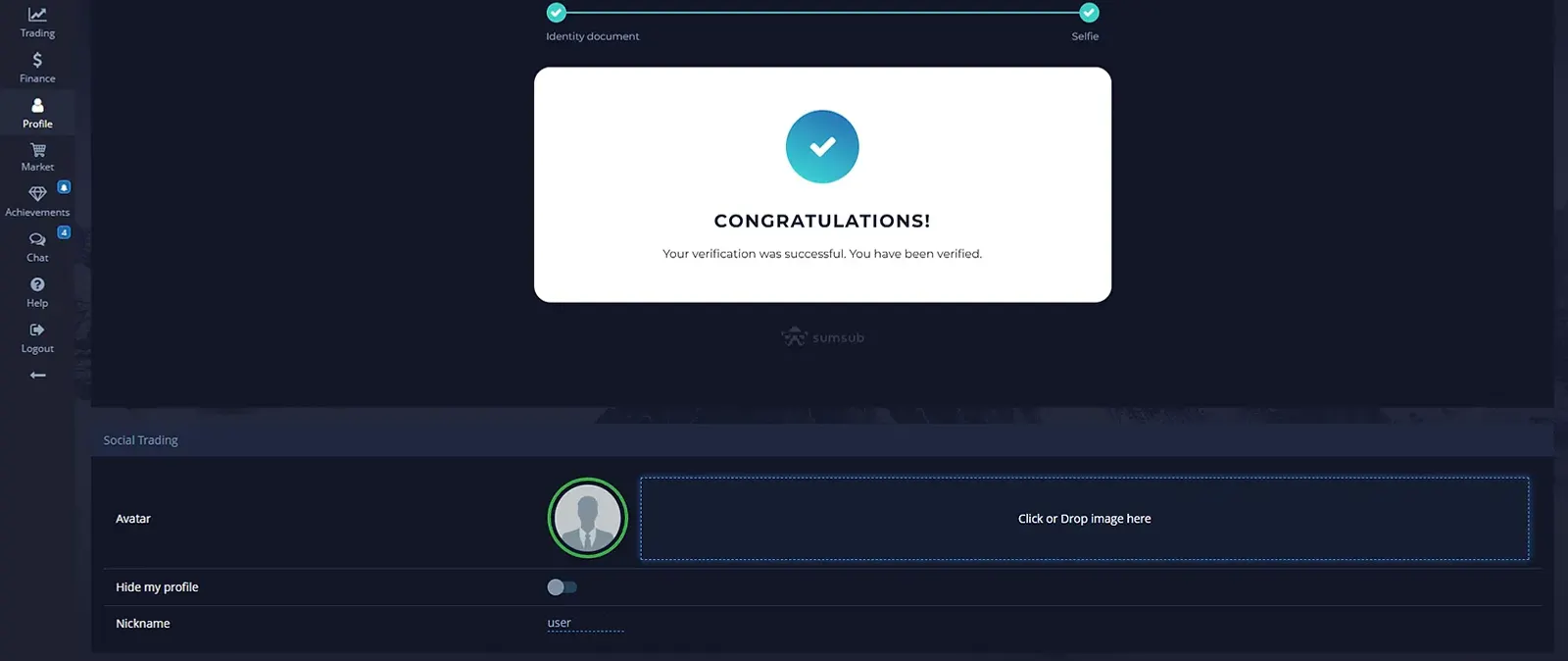
Once verification is completed, a confirmation message will appear in your profile.
Address Verification
To confirm the residential address, users must upload a document that includes their full name and current address.
Accepted documents include:
- Utility bills (electricity, water, gas).
- Bank statements.
- A residency certificate.
The document must not be older than 3 months and should be entirely readable.
Bank Card Verification
If the user made a deposit from a card, verification may be required.
Before uploading, ensure that:
- The first and last four digits of the card number are visible, while the middle numbers are hidden.
- The CVV code on the back is covered.
- The card is signed by the owner.
The verification process usually takes up to 48 hours.
Possible Issues During Verification and Their Solutions
Issue 1: Prolonged Document Verification. Sometimes, due to high demand, the verification process takes longer than expected.
Solutions:
- Ensure you have uploaded the correct documents.
- Check the verification status in your personal account.
- If the process takes more than 48 hours, contact customer support.
Issue 2: Documents Rejected. Common reasons for rejection include low image quality or mismatched information.
| Reason | Solution |
|---|---|
| Blurry or dark images | Retake the documents in good lighting conditions |
| Cropped document edges | Upload a photo with visible corners |
| Errors in the provided information | Verify that the data matches your profile |
Issue 3: Slow Customer Support Response. If the response is delayed, try the following:
- Use different contact channels (email, live chat).
- Provide a detailed description of the issue and attach screenshots.
- Check the FAQ section – the solution may already be available.
Benefits of Completing Verification
After successfully verifying an account, users receive:
✅ Fraud protection – personal data and funds are securely protected.
✅ Full access to platform features – removing limitations and unlocking withdrawals.
✅ Compliance with KYC and AML requirements – ensuring legal and secure trading.
See more:howplatformKnowledge baseLearning