How Long Does Pocket Option Verification Take?
The Pocket Option account verification ensures security and regulatory compliance. Verification time varies based on document type, system workload, and data accuracy.

Pocket Option Verification Timeframes
Many traders ask: how long does Pocket Option take to verify? The document verification process on Pocket Option consists of several stages, each with an estimated processing time. The table below outlines the standard verification timeframes:
| Verification Stage | Required Documents | Average Processing Time |
|---|---|---|
| Email Confirmation | Click the link in the email | Instantly |
| Identity Verification | Passport, driver’s license, or ID card | Up to 24 hours |
| Address Verification | Utility bill, bank statement (not older than 3 months) | Up to 48 hours |
| Bank Card Verification (if required) | Photo of the card (middle digits covered) | Up to 48 hours |
If users are wondering how long does it take Pocket Option to verify, they should consider that actual processing times may vary depending on system workload and the quality of uploaded documents. To speed up the process, it is crucial to submit clear images.
Why Is Verification Necessary?
Main Reasons for Mandatory Account Verification
Before learning how to verify Pocket Option account, it’s important to understand why verification is required. The key reasons include:
- Security – prevents fraud and unauthorized access.
- KYC & AML Compliance – ensures compliance with international financial regulations.
- Unlocking Features – enables fund withdrawals and increases trading limits.
Without verification, users may face restrictions, such as withdrawal bans or reduced trading limits.
How to Verify a Pocket Option Account?
Main Steps of the Verification Process
Users who want to know how to verify Pocket Option account should follow these steps:
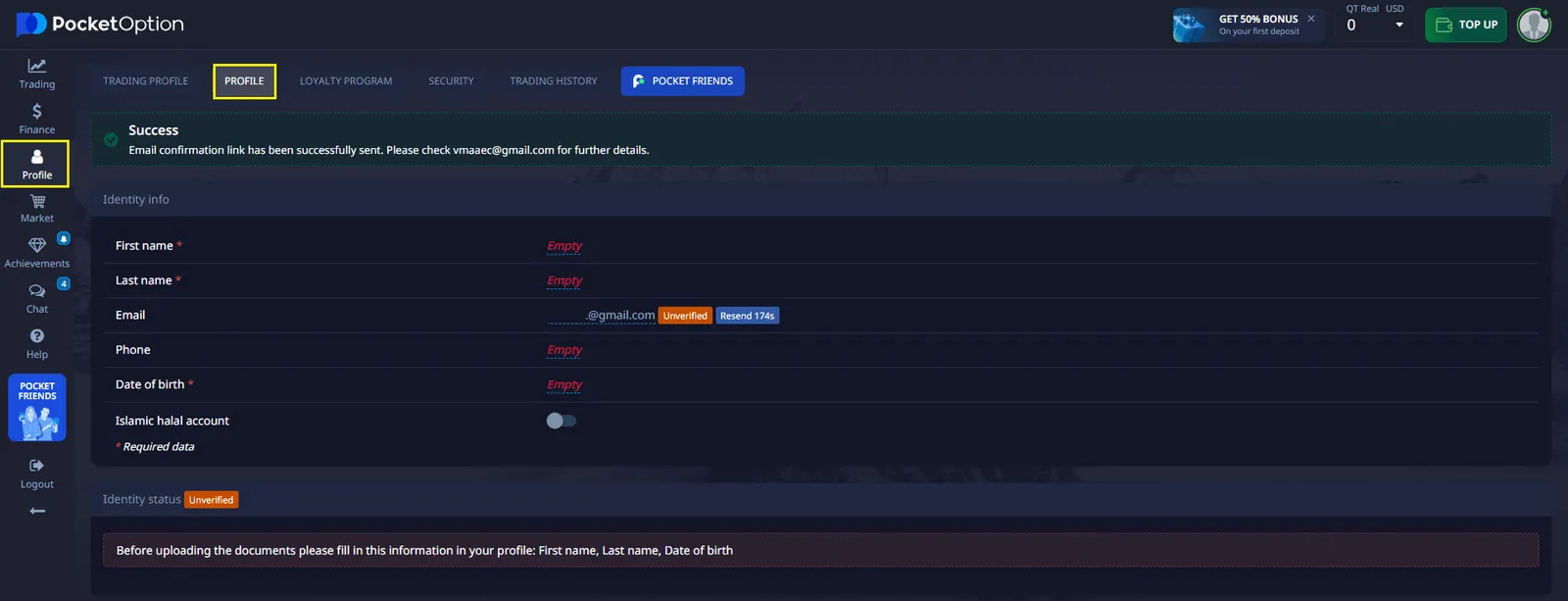
- Email Confirmation – click the link in the email received after registration.
- Profile Completion – enter personal details (full name, country of residence).
- Document Upload – submit a photo of a passport or ID card.
- Address Confirmation – upload a bank statement or utility bill.
Possible Verification Issues and Solutions
Delayed Verification Process
Some users experience longer processing times and ask how long does it take to get verified on Pocket Option?
Causes:
- High system workload.
- Errors in uploaded documents.
- Problems with image uploads.
Solution: Check verification status in your account and contact customer support if needed.
Rejected Documents
Another common issue is document rejection. Reasons include:
- Blurry or dark images.
- Mismatched information with profile data.
- Cropped document edges.
Solution: Retake photos in good lighting and ensure data accuracy.

How to Speed Up the Verification Process?
If users want to verify their account quickly and ask how long does Pocket Option take to verify, they should follow these steps:
- Upload high-quality images with no blurriness.
- Use valid documents (not older than 3 months).
- Ensure all data matches your profile information.
- Regularly check the verification status in your account.
- If verification takes more than 48 hours, contact customer support.
Zobacz więcej:howplatformbeginnerKnowledge baseRegulation and safety