
How to Close a Trade on Pocket Option
Learn how to close trades on Pocket Option quickly and precisely to manage positions effectively and reduce potential losses.

Understanding Trade Cancellation on Pocket Option
Trade cancellation is a risk management feature that allows traders to exit positions before their natural expiration time. On the Pocket Option trading platform, this functionality is designed to help traders protect their capital and optimize their trading outcomes.
"The ability to close trades early has revolutionized risk management in Quick Trading. Traders who master this skill typically see 40% better capital preservation rates." - Sarah Mitchell, Trading Strategy Analyst, 2025
How to Close a Trade on Pocket Option: Tips for Cancelling an Open Trade
When trading on the Pocket Option platform, there may be times when you need to cancel a trade before it expires. You might want to lock in profits or minimize losses when the market moves against you. In this case, you can use the trade cancellation feature, but it's important to remember that this can only be done within the first few seconds after placing the trade.
How to Close a Trade on Pocket Option?
To cancel a trade before it reaches its expiration, follow these simple steps:
- Navigate to the "Trades" section on the right panel of the trading interface. This is where all your current open trades are displayed.
- Find the specific trade you want to cancel.
- Click on the red button, which shows the amount of money you will receive if you close the trade. This amount depends on several factors, such as the current market situation and the selected currency pair.
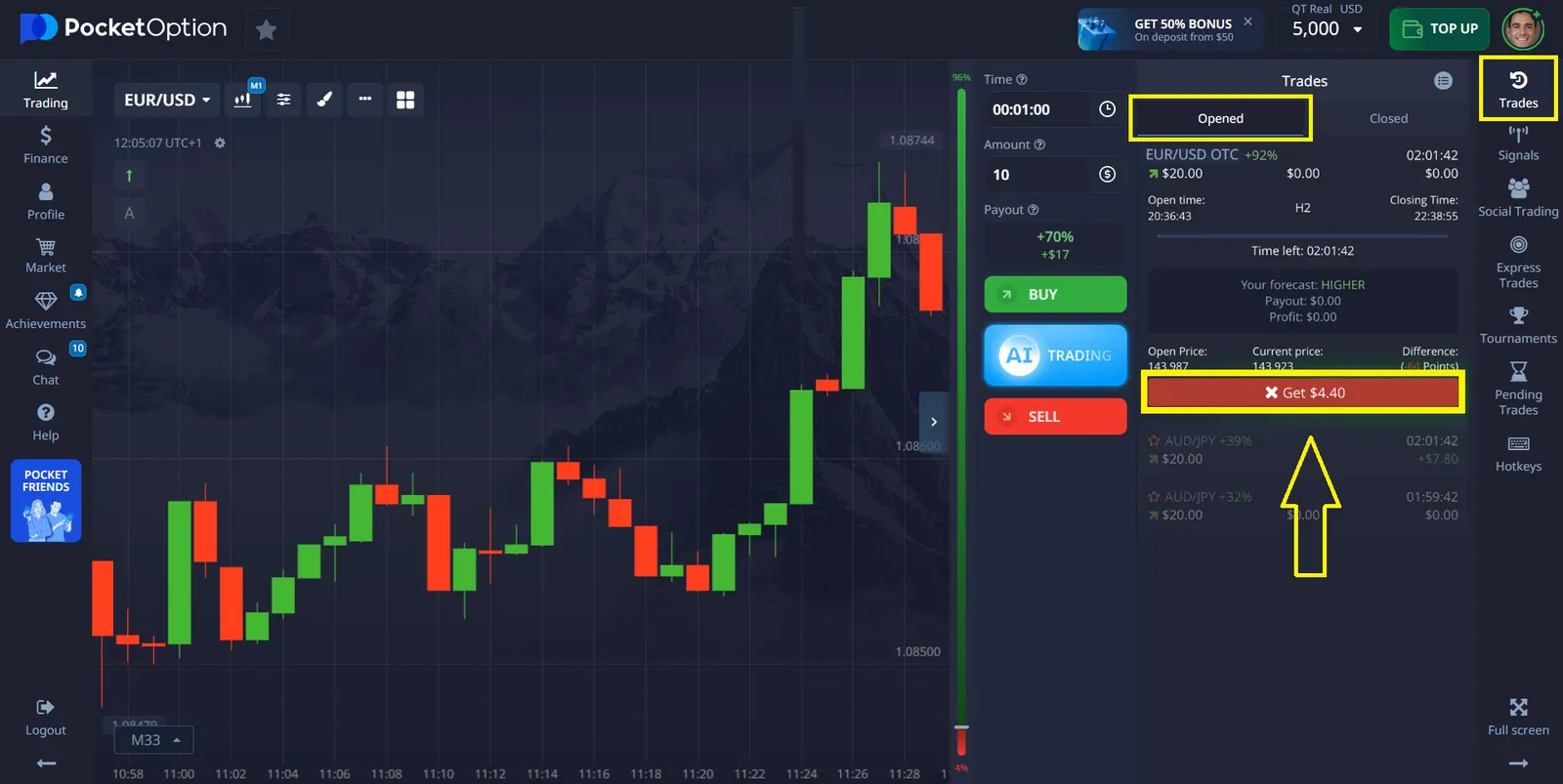
Important: The cancellation window is extremely narrow - typically just a few seconds after trade placement. Missing this window means the trade will run its full course until expiration time.
Important Points When Cancelling a Trade
- It is important to note that you can cancel a trade only within the first few seconds after placing it. The exact time frame depends on factors such as the expiration time, trade amount, and currency pair settings.
- After this time window has passed, the ability to close the trade disappears, and you'll have to wait for it to reach its expiration.
Ver más:howplatformKnowledge baseTrading