Pocket Option Download for PC
Ready to trade like a pro? Download Pocket Option for PC and unlock the full power of advanced tools, bigger charts, and faster decisions — all from your desktop.

Why Choose Pocket Option for PC?
There are several compelling reasons to download Pocket Option for PC:
| Reason | Description |
|---|---|
| ✔️ Larger Screen for Better Analysis | A bigger display allows you to see charts and market movements more clearly, which can enhance your trading strategy. |
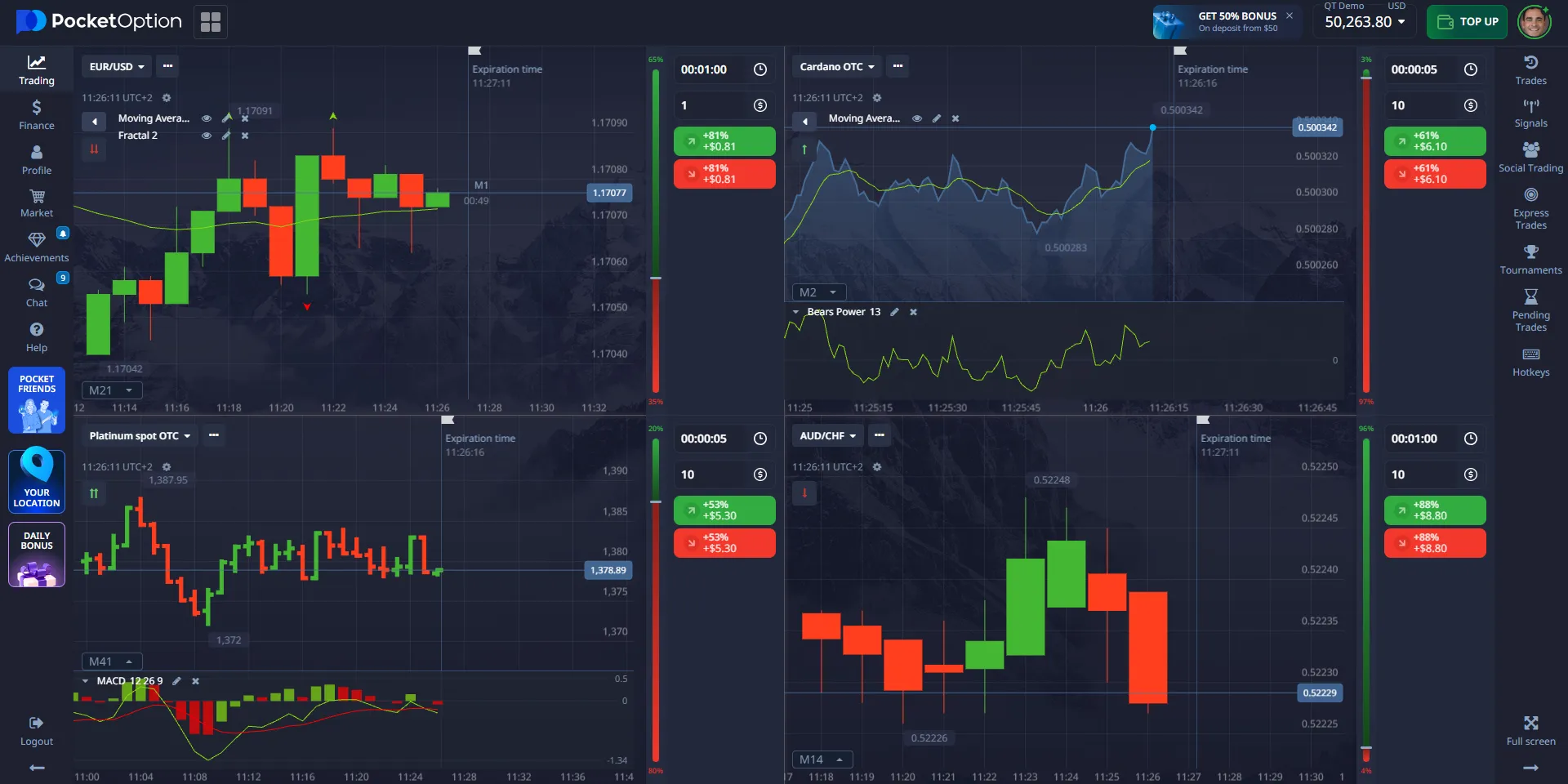
| ✔️ Advanced Trading Tools | The desktop version comes with more advanced features and tools that aren't always available on mobile platforms, such as analyzing multiple charts and using technical indicators. |
| ✔️ Precise Control | Trading with a mouse and keyboard gives you better control over your trades compared to using touchscreens. |
| ✔️ Over 100+ Assets | Pocket Option provides access to a wide variety of assets for trading, including stocks, indices, cryptocurrencies, commodities, and currency pairs, which allows you to diversify your trading portfolio. |
Make Your PC Work for You - Start Trading for Real
👉 Installing Pocket Option on your desktop is more than just convenience -- it’s your entry point into professional-grade Quick Trading. But to make real gains, demo mode isn't enough. Fund your account from $5, and start using all features at full capacity: advanced charting, fast execution, Copy Trading, and smart signals. Thousands already trade on PC daily - join them, activate your deposit, and start making informed predictions for real profits.
Pocket Option Download for PC Windows
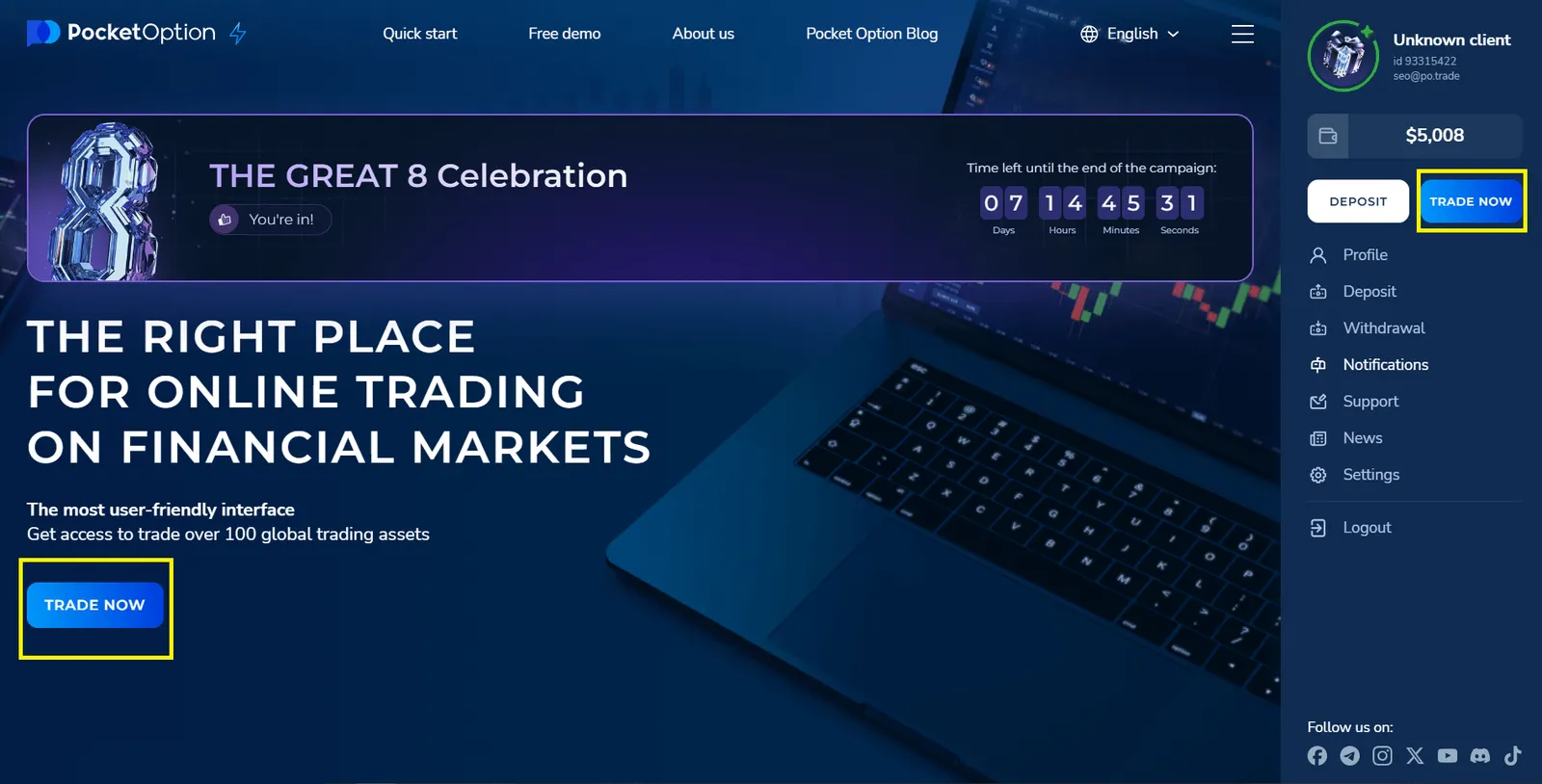
- Use our link below to log in or create a new account.
- After logging into your account, click trade now
- ✅ That’s it! Pocket Option is now ready to use on your PC as web App.
How to Download the Trading App for PC macOS
When you download the Pocket Option app for PC with macOS, you're actually downloading a web application that will open directly in your browser. No need to install any special software or programs on your computer, making the process quick and simple. Here's how to get started:
- Use our quick navigation button to go to the Pocket Option main page.
- Download the Web Application: On the homepage, you'll find the link to download the web application. Simply click it to start the download. The file will automatically open in your browser.
- Access the App: Once downloaded, the app will launch right in your browser without needing additional installations or downloads. You can start using it immediately after signing in or creating your account.
This simplified process allows you to start trading faster without dealing with complicated setups or large file downloads.
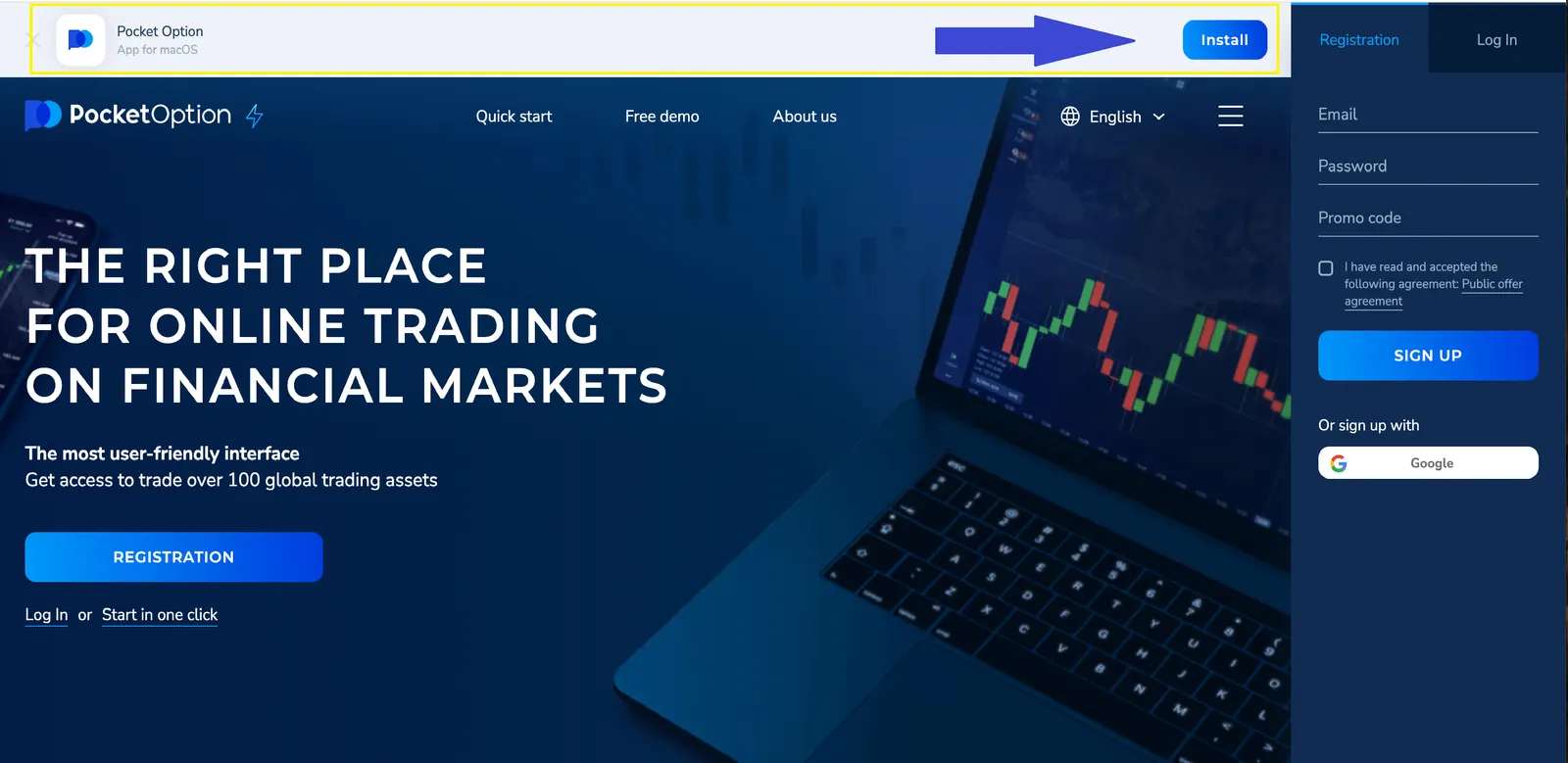
👉 👉 👉 Or download Mac PC app it straight from our blog — just follow the special link!
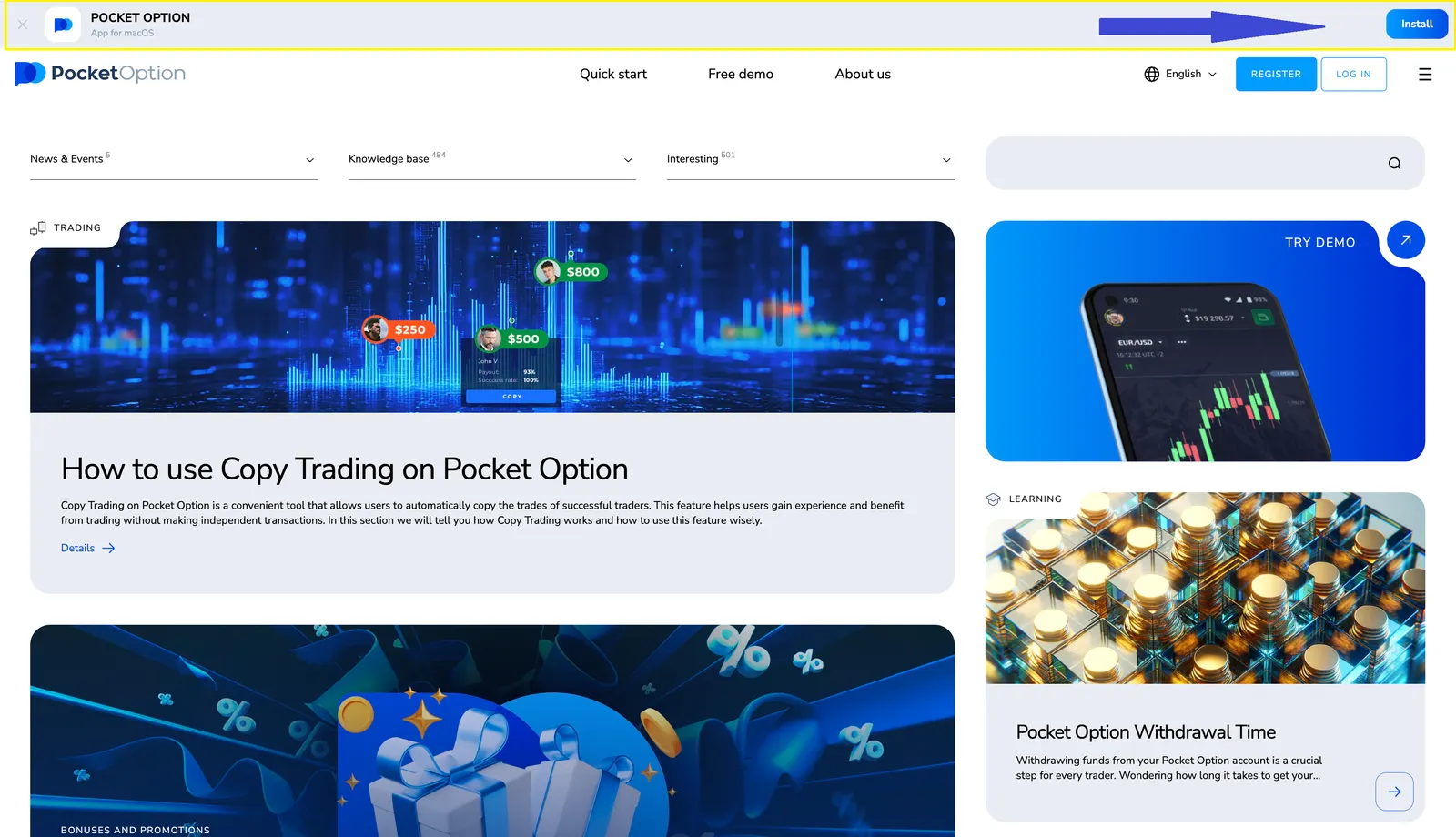
*When you download a trading app for PC windows 7,10 or Mac you're actually downloading a web application that will open directly in your browser—there's no need to install any special software or programs on your computer. This makes the process incredibly simple and quick.
Key Features of Pocket Option for PC
| Feature | Description |
|---|---|
| Over 100 Trading Assets | Pocket Option offers a wide range of assets, including stocks, indices, cryptocurrencies, commodities, and currency pairs, helping you create a balanced trading strategy. |
| Demo Account | For beginners or those looking to practice, Pocket Option provides a demo account with $50,000 in virtual funds, allowing you to familiarize yourself with the platform and test different strategies without risking real money. |
| Prediction-Based Trading | Unlike traditional trading platforms, Pocket Option focuses on making predictions about the direction of asset prices. You don't need to buy or sell the asset—simply predict whether the price will go up or down. If your prediction is correct, you can earn up to 92% profit. |
| Promotions and Bonuses | Pocket Option also offers a welcome bonus. Use the promo code "50START" when making your first deposit, and you’ll receive a 50% bonus to boost your trading balance. |
How to Use Pocket Option for PC
Once you've downloaded the trading app for PC, take a moment to familiarize yourself with the platform’s interface. Here are a few key areas to explore:
- Asset Selection: Choose from a wide variety of trading assets to start making predictions.
- Chart Analysis Tools: Use the platform’s advanced charting tools and technical indicators to help guide your predictions.
- Account Management: Monitor your account balance, transaction history, and trade performance in real-time.
- Multiple Chart Viewing: You can view multiple charts simultaneously, allowing you to analyze different assets or time frames for a more comprehensive view of the market.
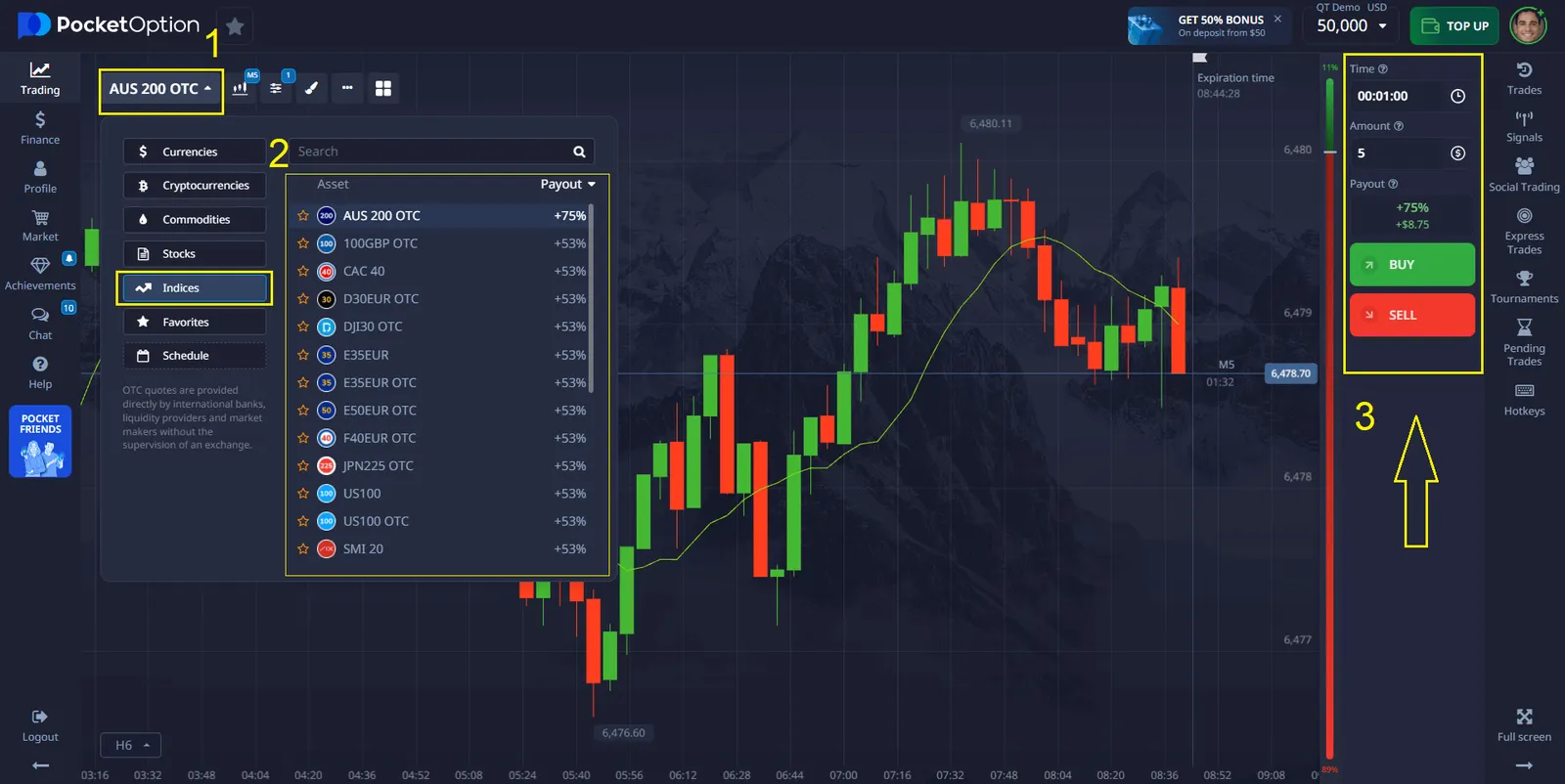
Select an asset - set the time and amount - make a forecast: will the price rise or fall
Optimizing Your Trading Experience
Here are some tips to help you get the most out of the Pocket Option desktop app:
- Use Multiple Monitors: If you have access to more than one screen, consider using multiple monitors for a more extensive view of your assets and charts.
- Practice with the Demo Account: Use the $50,000 demo account to practice your strategies before risking real money.
- Keep Your Software Updated: Make sure you have the latest version of the app installed for access to new features and security improvements.
- Take Advantage of the Bonus: Don’t forget to use the promo code "50START" to receive a 50% bonus on your first deposit.
Vedi di più:beginnerhowplatformInterestingTrading platforms