Pocket Option Bot Chrome Extension or Telegram Bot? Full Breakdown and Safer Automation Tips
Automated trading boosts speed and consistency; this article compares Pocket Option tools to help choose the best fit.

Pocket Option does not officially support or endorse any Chrome extension for trading. The only officially permitted trading bot is the Pocket Option Telegram Signal Bot. Using any other automated software, including Chrome extensions, may violate the platform’s Terms and Conditions.
It is recommended to use only the official Telegram bot for receiving signals and executing trades — this ensures compliance and account safety.
How Traders Use the Pocket Option Bot Chrome Extension — and Why the Official Telegram Bot Is a Safer Choice
Although some traders use tools like the Pocket Option bot Chrome extension to automate trading directly in the browser, it's important to note that such tools are not officially approved. Below is a short overview of how the Pocket Option Chrome extension works, what advantages it may offer, and why the official Telegram bot remains the more reliable option.
What the Bot Extension Offers
The Pocket Option bot extension is a browser-based tool that automates trade execution based on a given strategy. Its main advantage is simplicity: it installs in one click and works directly in Chrome without complex setup.
Some key features include:
- Execution speed: 85–180 ms — not the fastest, but acceptable for medium-frequency strategies.
- Simplicity: no API or advanced coding required.
- Compatibility: works on any device running the Chrome browser.
How Traders Use the Extension
Experienced users recommend a phased approach when using the Pocket Option extension:
- Start in observation mode — analyze signals without placing trades.
- Test with small trade amounts.
- Optimize parameters based on performance.
- Only then, integrate the bot into your trading system.
The most important settings include:
- Signal threshold — should be higher in volatile markets.
- Execution delay — shorter in ranging markets, longer in trending ones.
- Position size — progressive in trends, regressive in unstable conditions.
Real Results
Some traders consider that automated tools like the Pocket Option Bot Chrome Extension may perform more consistently in stable or range-bound market conditions, while showing mixed results during high volatility. Performance often depends on how well the tool is configured and whether the chosen strategy matches current market behavior.
In certain cases, users prefer to activate automation only during specific trading sessions or under narrowly defined conditions, aiming to reduce risks and improve control over their trades.
Why the Telegram Signal Bot Is the Best Choice
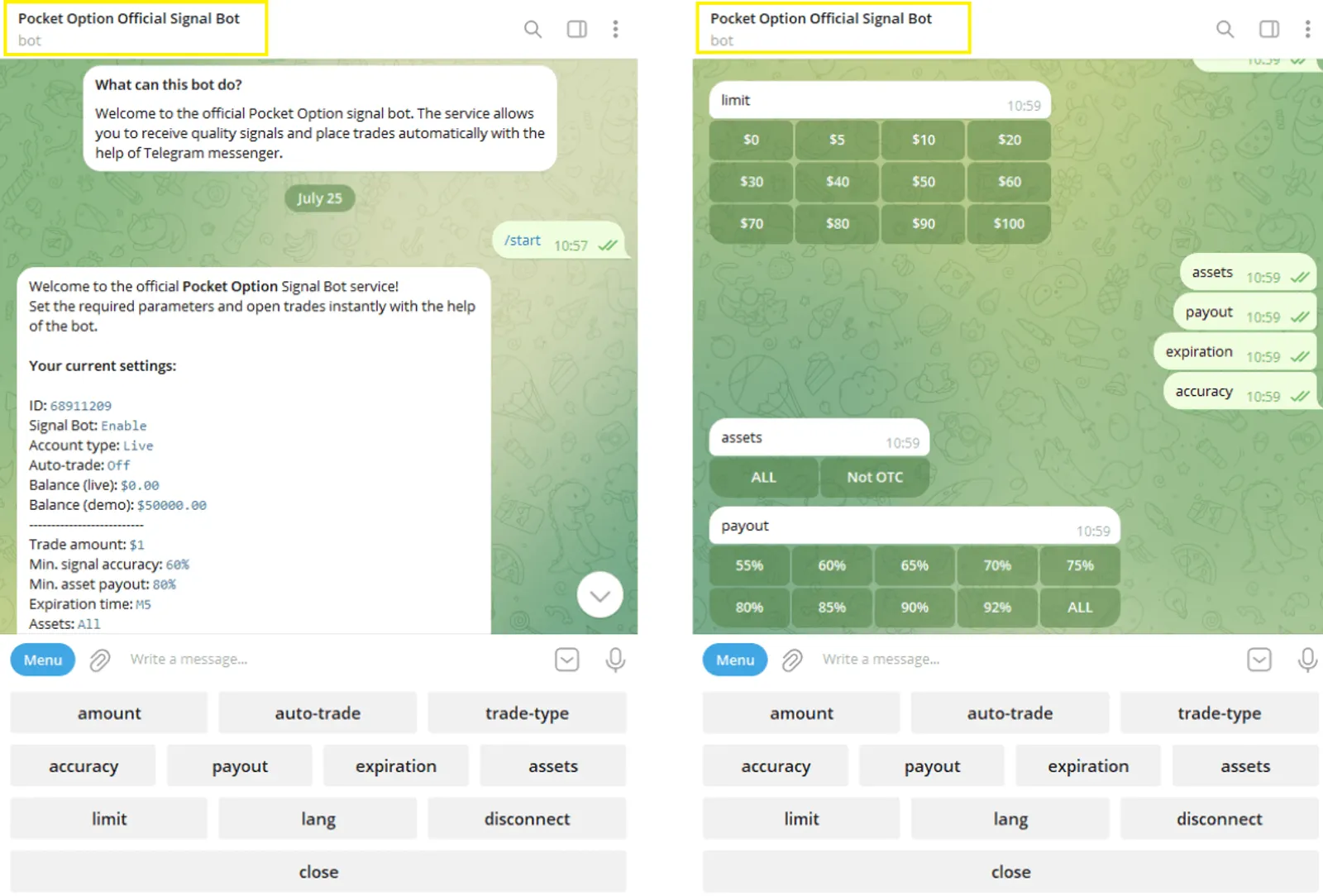
Instead of using unofficial tools, it’s strongly recommended to use the official Pocket Option Telegram Signal Bot. This is the only automated solution approved by the platform, and it's integrated directly into your trading interface.
What the Telegram Bot Can Do:
- Sends real-time trading signals via Telegram.
- Can place trades automatically on your account.
- Offers flexible parameter customization.
How to Start:
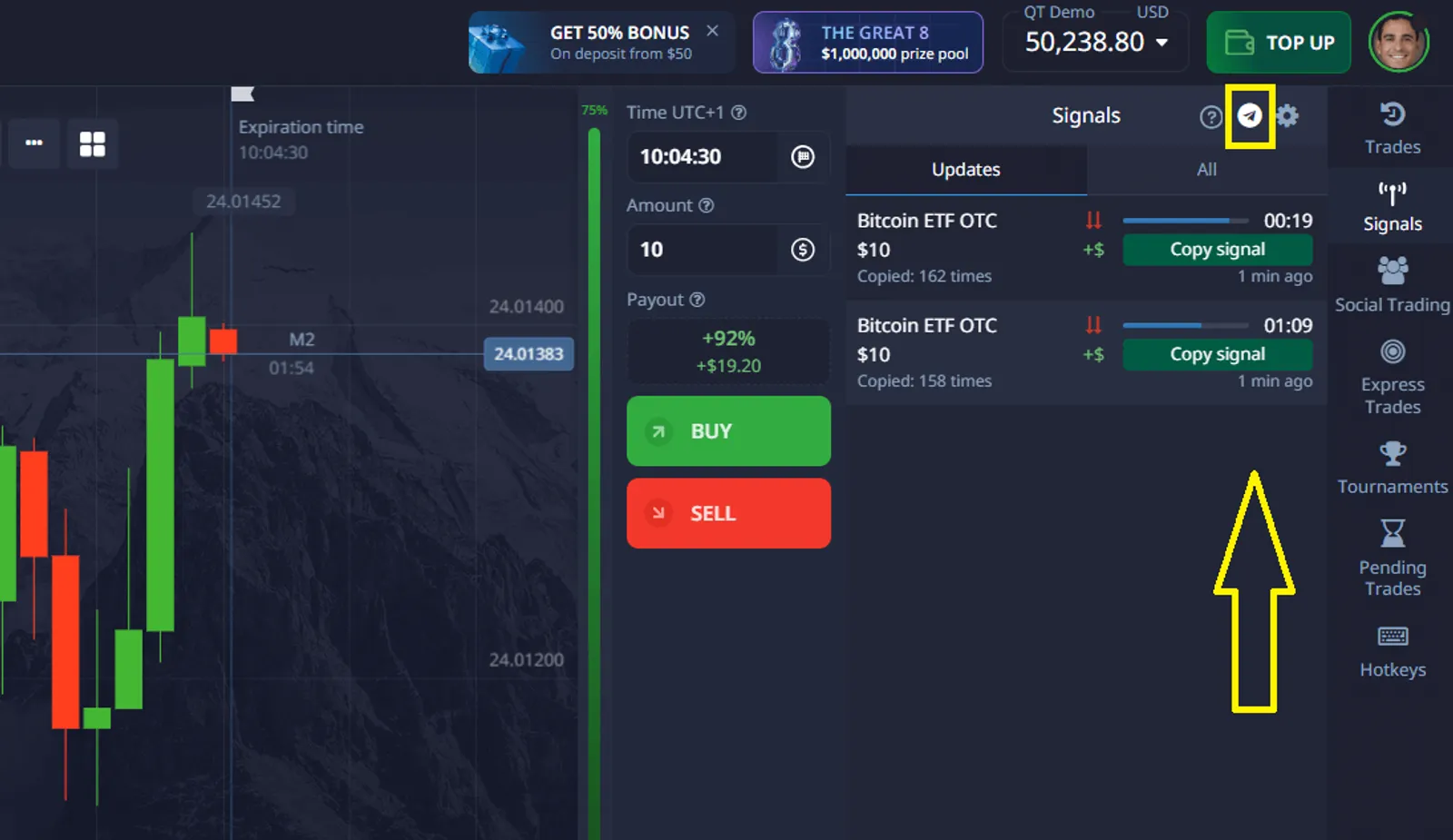
Login and open the "Signals" panel on the Pocket Option platform, choose a timeframe, and activate the Telegram Bot option.
Type /SETTINGS to configure:
- Trade amount
- Signal accuracy threshold
- Minimum payout
- Timeframe
- Account type: demo or real
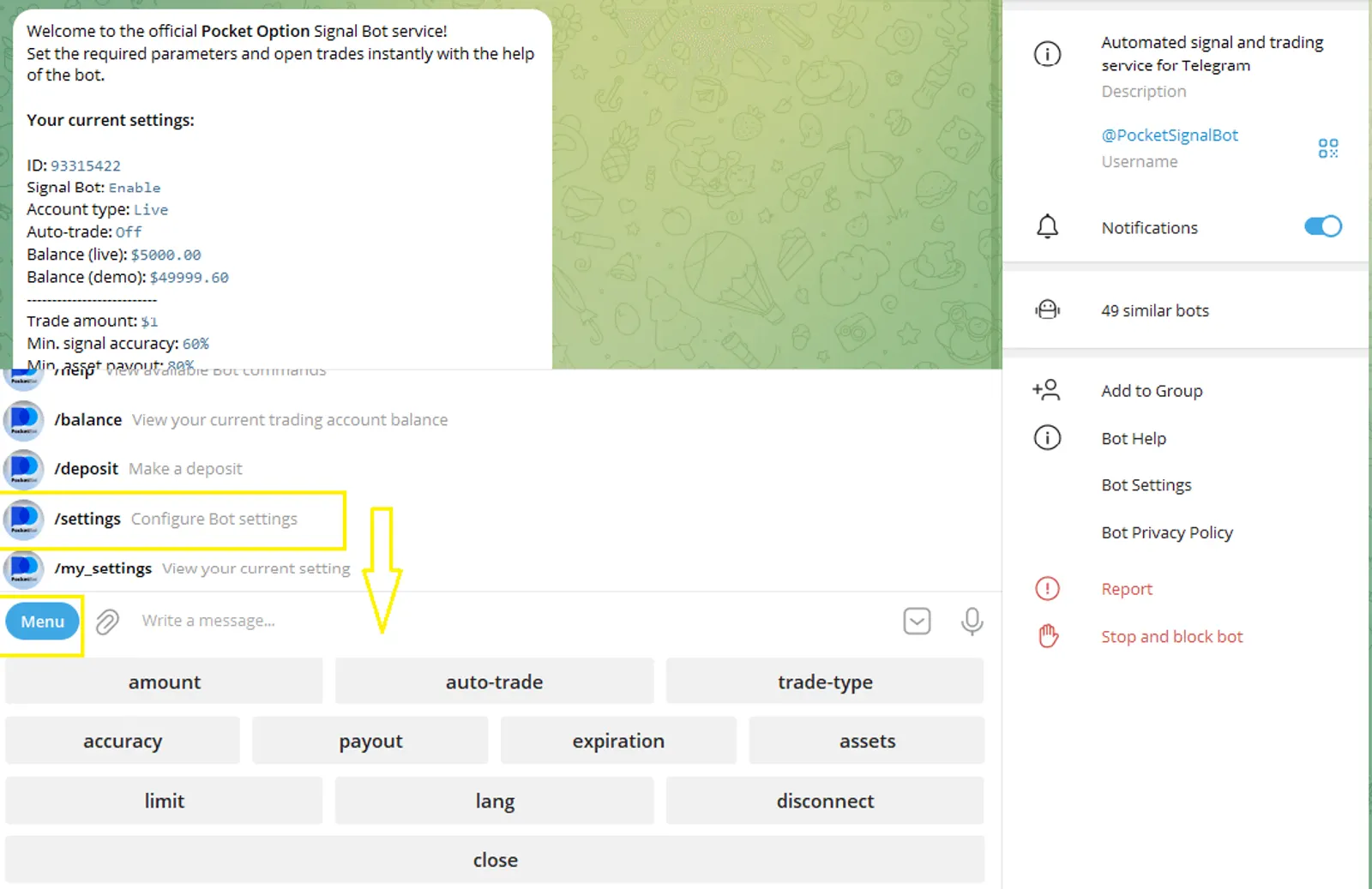
- Enable auto-trading and optionally set balance protection limits.
- Press /START to begin receiving signals and trading.
- Use /STOP at any time to pause the bot. You can also return to /SETTINGS to reconfigure.
This bot is the safest and most efficient way to automate your trading within Pocket Option’s official framework.