
How to Withdraw Money from Pocket Option to Bank Account
For online traders, knowing how to withdraw from Pocket Option to a bank account is key. This article explains the process, policies, and tips for secure, efficient transactions.
How to Withdraw Money from Pocket Option to Bank Account
Pocket Option is a popular trading platform that allows users to trade binary options and forex. If you've made a profit and want to transfer your funds to your bank account, the process is simple. In this guide, we’ll walk you through how to withdraw money from Pocket Option to a bank account quickly and securely.
Step 1: Log Into Your Pocket Option Account
To start the withdrawal process, sign in to your Pocket Option account. Make sure you have completed the necessary verification steps, as withdrawals are only available to verified users.
Step 2: Go to the Withdrawal Section
Once logged in, navigate to the "Finance" section and select "Withdrawal" from the menu. This section allows you to manage your withdrawals and choose your preferred method of transferring funds.
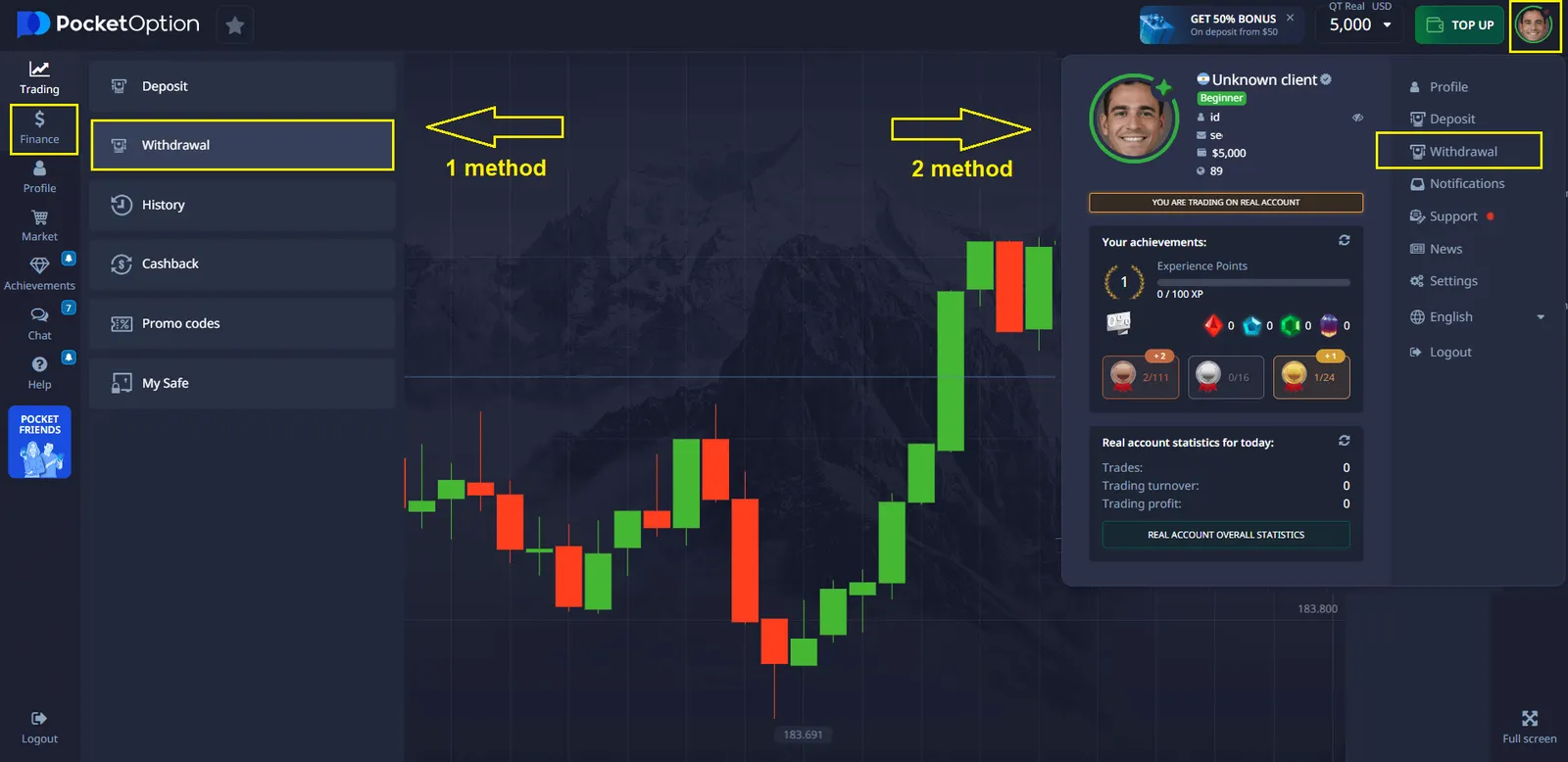
Step 3: Select Bank Transfer as the Withdrawal Method
In the withdrawal methods list, choose "Bank Transfer" as your preferred option. If you need to change your withdrawal method, you can do so in this section. If you’re wondering how to change withdrawal method in Pocket Option, simply go back to the withdrawal section and select a different option before confirming your request.
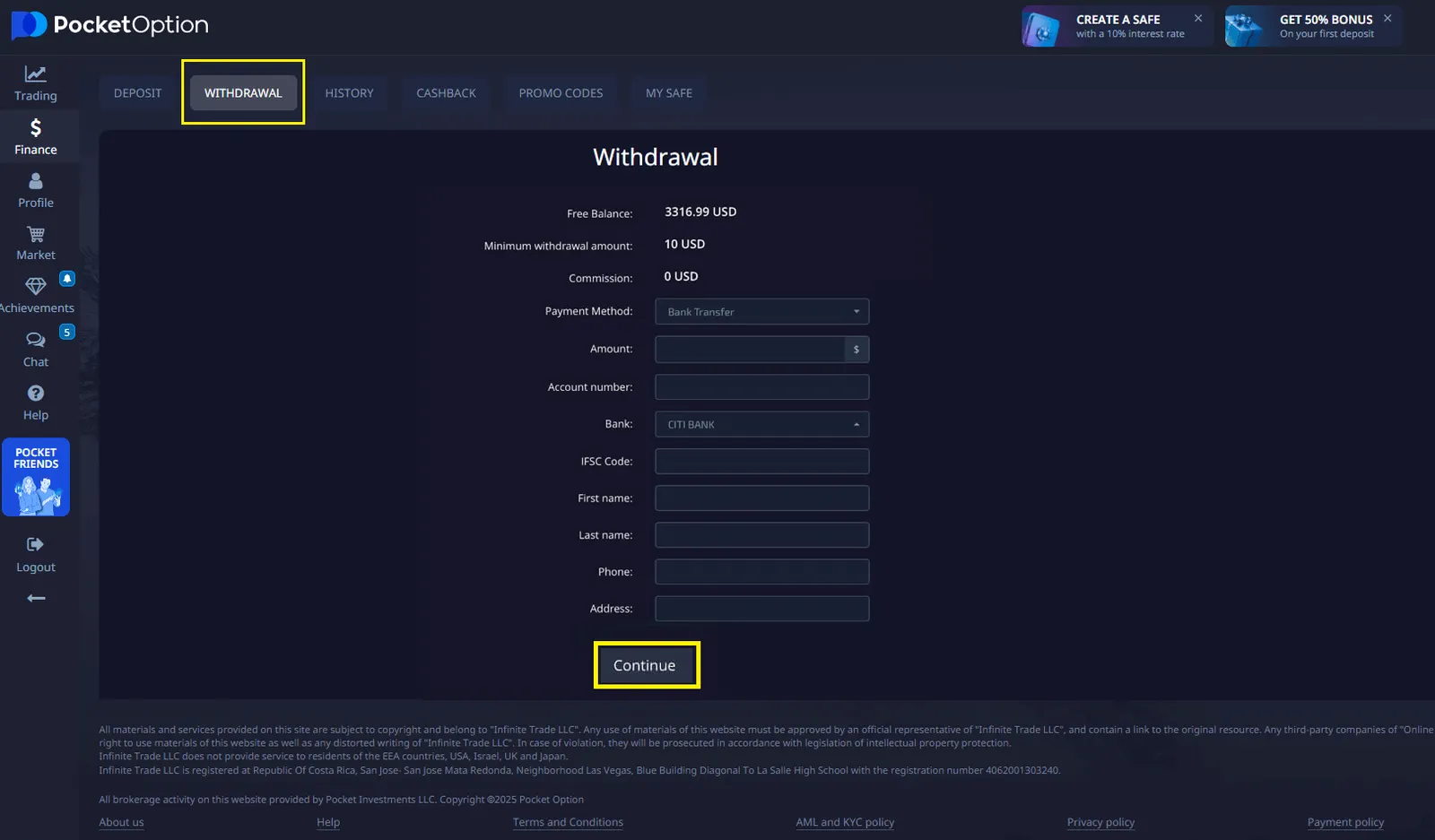
Step 4: Enter Withdrawal Details
- Specify the amount you wish to withdraw. Ensure that it meets the minimum withdrawal limit.
- Enter your bank account details, including account number and bank name.
- Double-check the information to avoid errors that could delay your withdrawal.
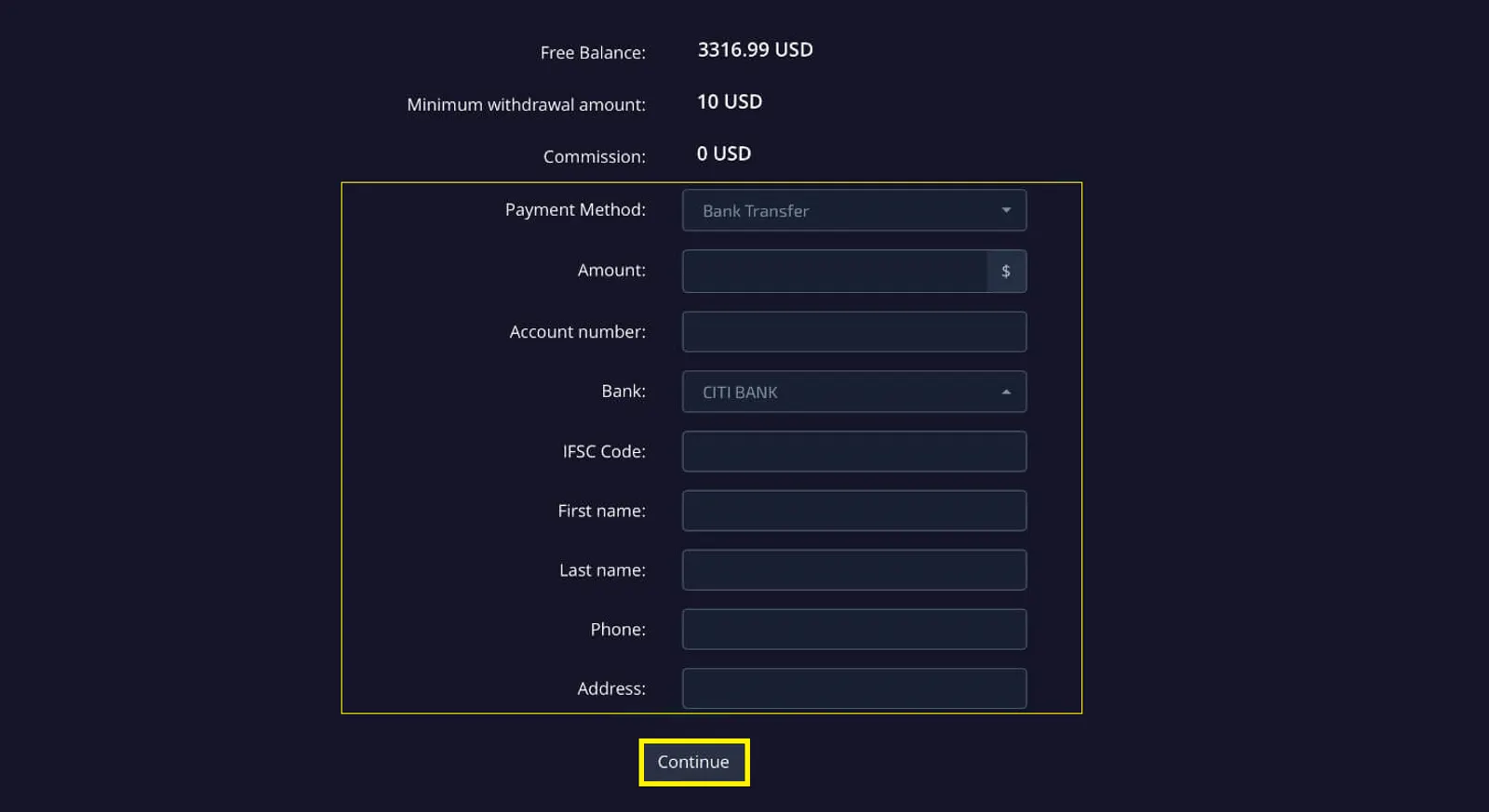
Step 5: Confirm the Withdrawal
After entering your details, click the "Confirm" button to proceed. Pocket Option will process your request, and you may receive a confirmation email regarding your withdrawal status.
How Long Does It Take to Receive the Money?
Withdrawal processing times depend on your bank and Pocket Option's verification process. Typically, it may take 1 to 3 business days for the funds to appear in your bank account.
Alternative Withdrawal Methods
While this article focuses on how to withdraw money from Pocket Option to bank account, it's worth exploring other options:
- E-wallets (e.g., Skrill, Neteller)
- Cryptocurrencies (e.g., Bitcoin, Ethereum)
- Credit/Debit cards
Each method has its own advantages, and you may find one that better suits your needs.