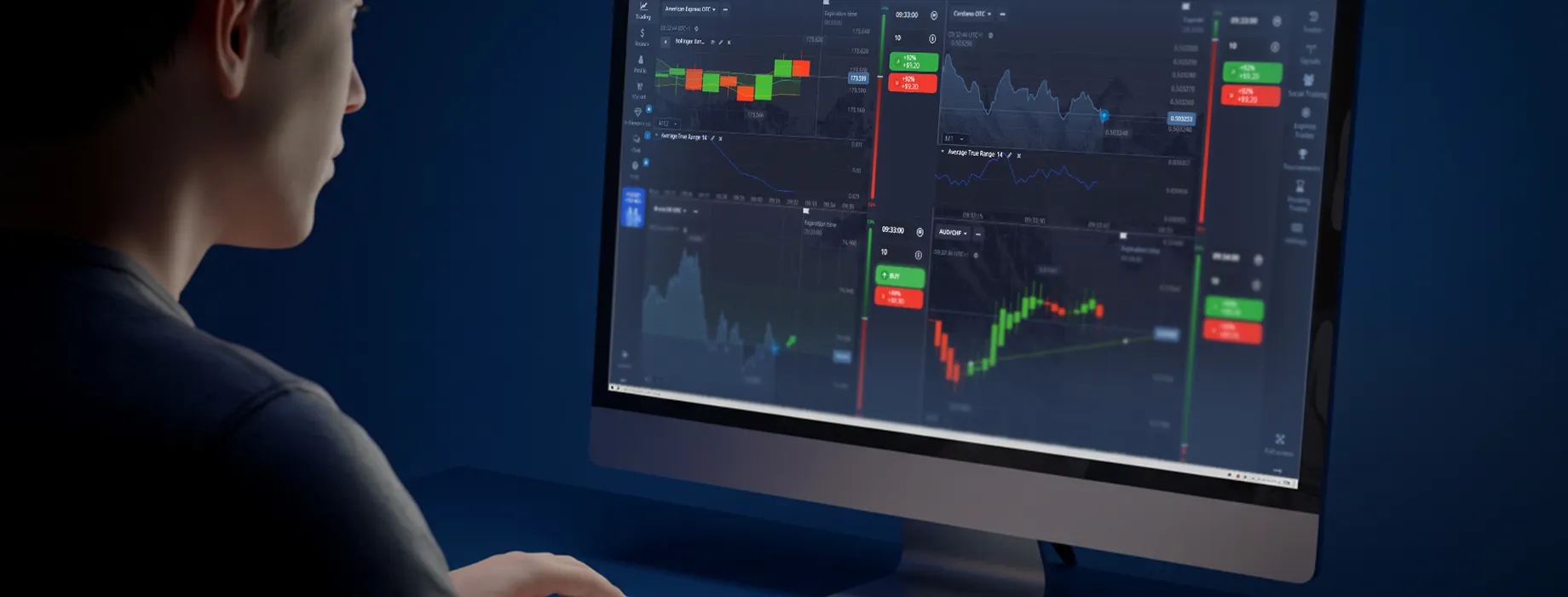
How to Download Pocket Option for PC: Simplified Installation Process
For those interested in trading on a larger screen, knowing how to download Pocket Option for PC can greatly enhance your trading experience.

Understanding Pocket Option
Pocket Option is a popular trading platform that offers a wide range of financial instruments. While it's commonly used on mobile devices, many traders prefer the expanded view and additional features available on the desktop version.
Benefits of Using Pocket Option on PC
Before we dive into how to download Pocket Option for PC, let's explore some advantages of using the desktop version:
- Larger screen for better chart analysis
- More precise control with mouse and keyboard
- Access to 100+ advanced trading tools
- Ability to run multiple charts simultaneously
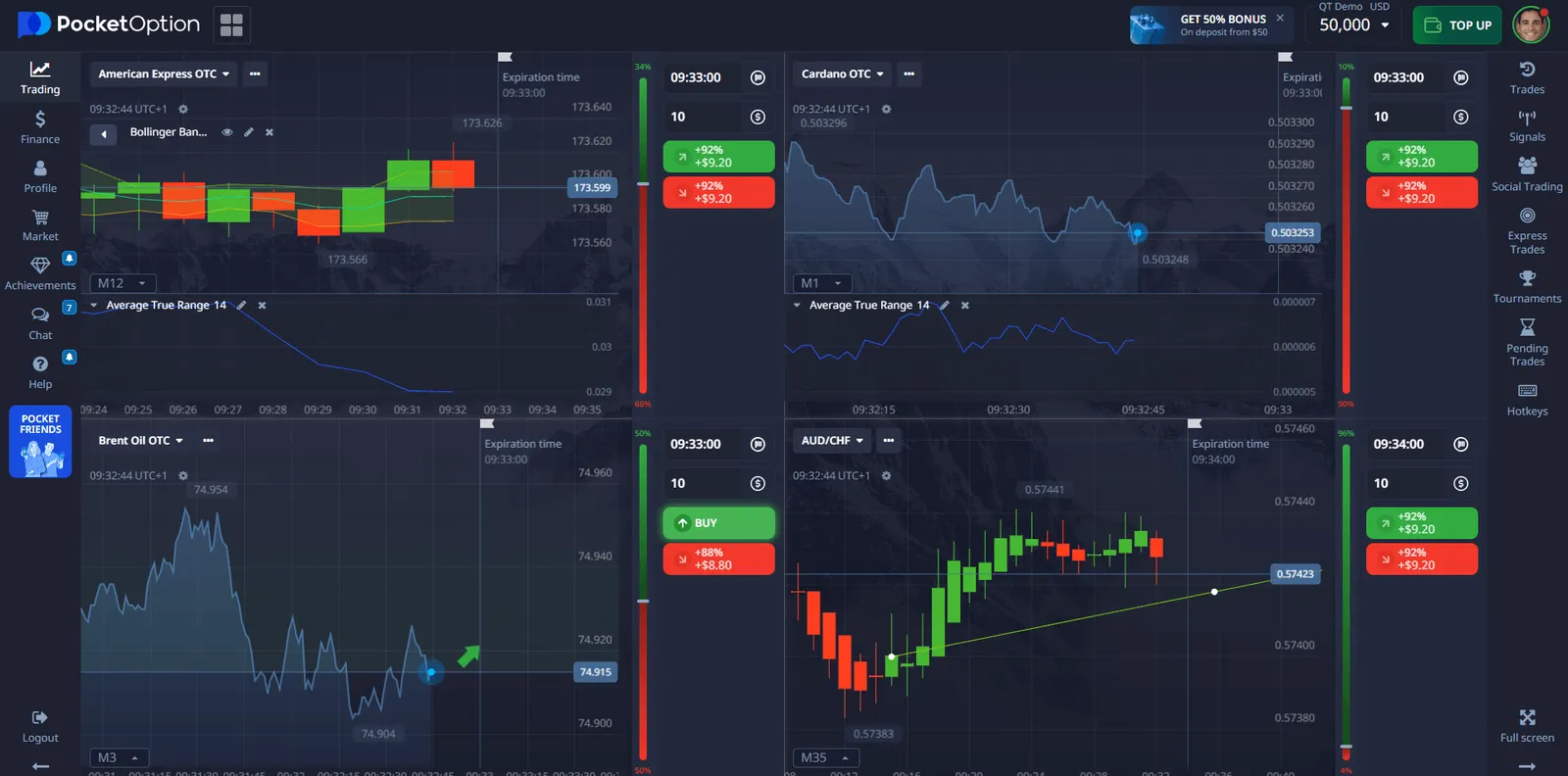
For Windows you do not need to download anything! The platform works in a web browser. Use the link below, register and start trading from $1 right now!
System Requirements
To ensure a smooth installation and operation of Pocket Option on your PC, your system should meet the following requirements:
| Component | Minimum Requirement |
|---|---|
| Operating System | Windows 7 or later, macOS 10.12 or later |
| Processor | 1.5 GHz dual-core or better |
| RAM | 4 GB or more |
| Storage | 1 GB free space |
| Internet Connection | Stable broadband connection |
How to Download Pocket Option for PC
Now, let's go through the step-by-step process of how to download Pocket Option for PC:
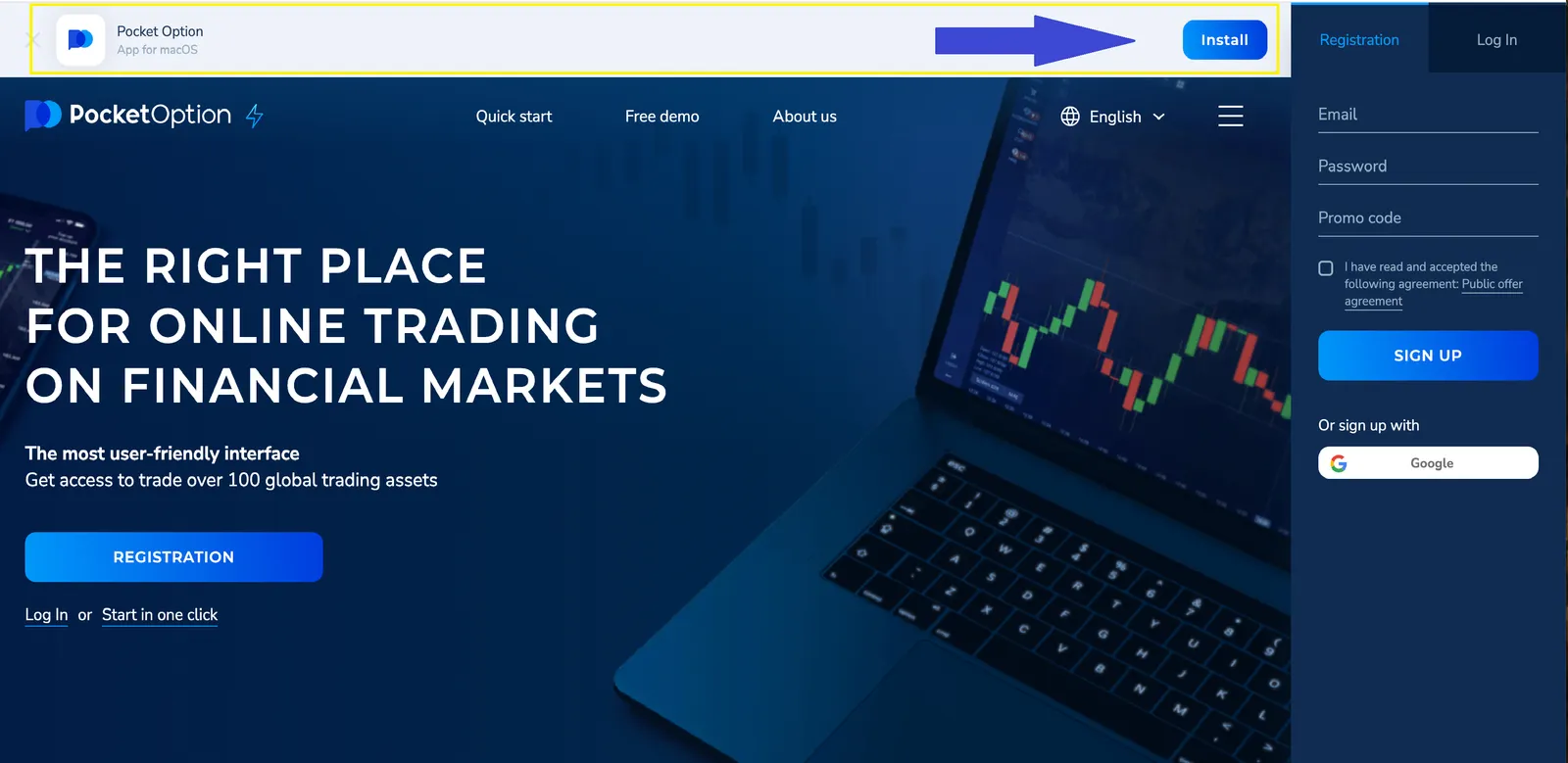
- Open your preferred web browser on your computer.
- Use our link to sign in or register for an account.
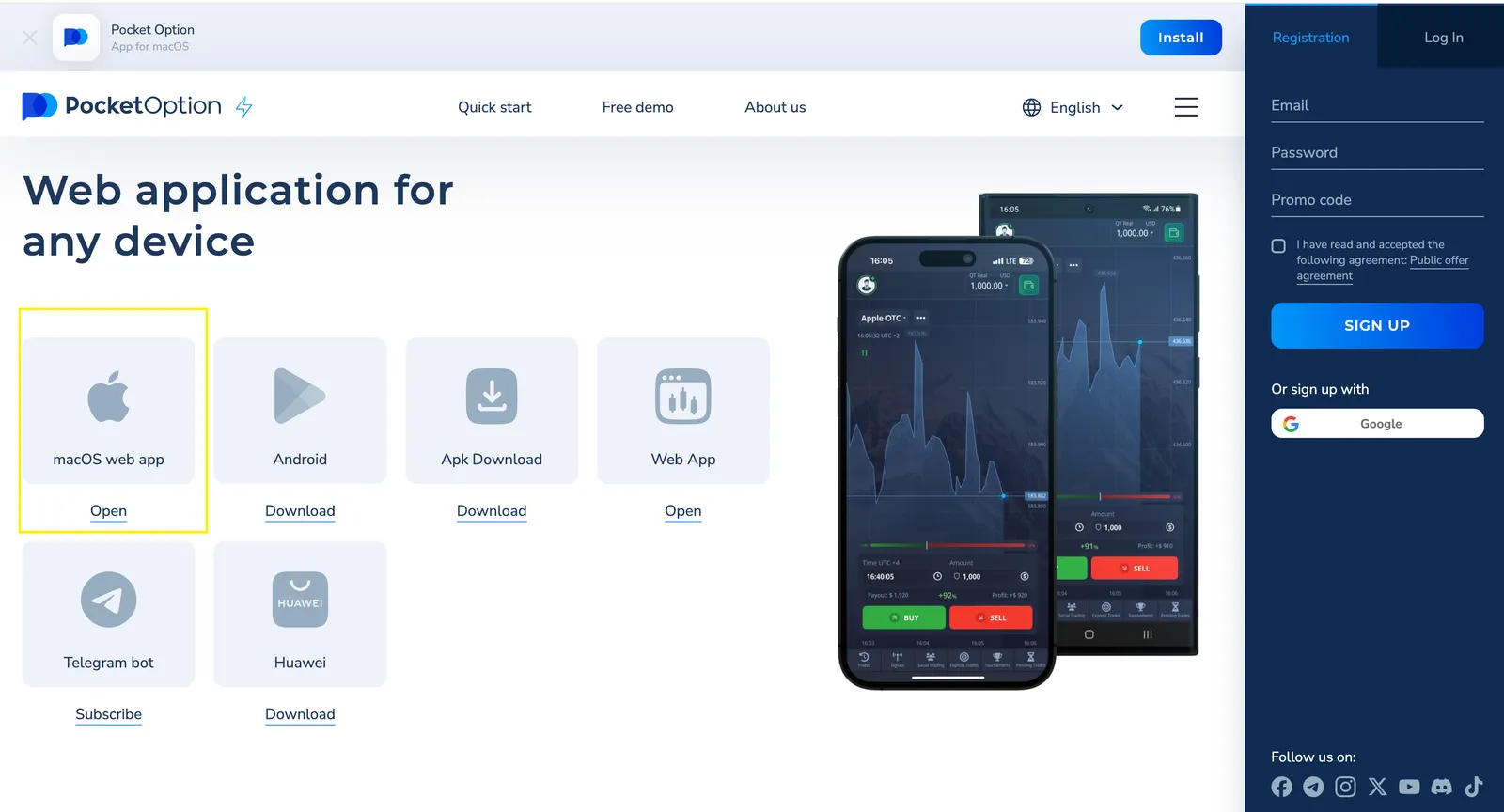
- Find the web application for your PC on the main site.
- Click the download button to start the process.
- Follow the on-screen instructions to complete the installation.
After following these steps, you should have successfully downloaded and installed Pocket Option on your PC.
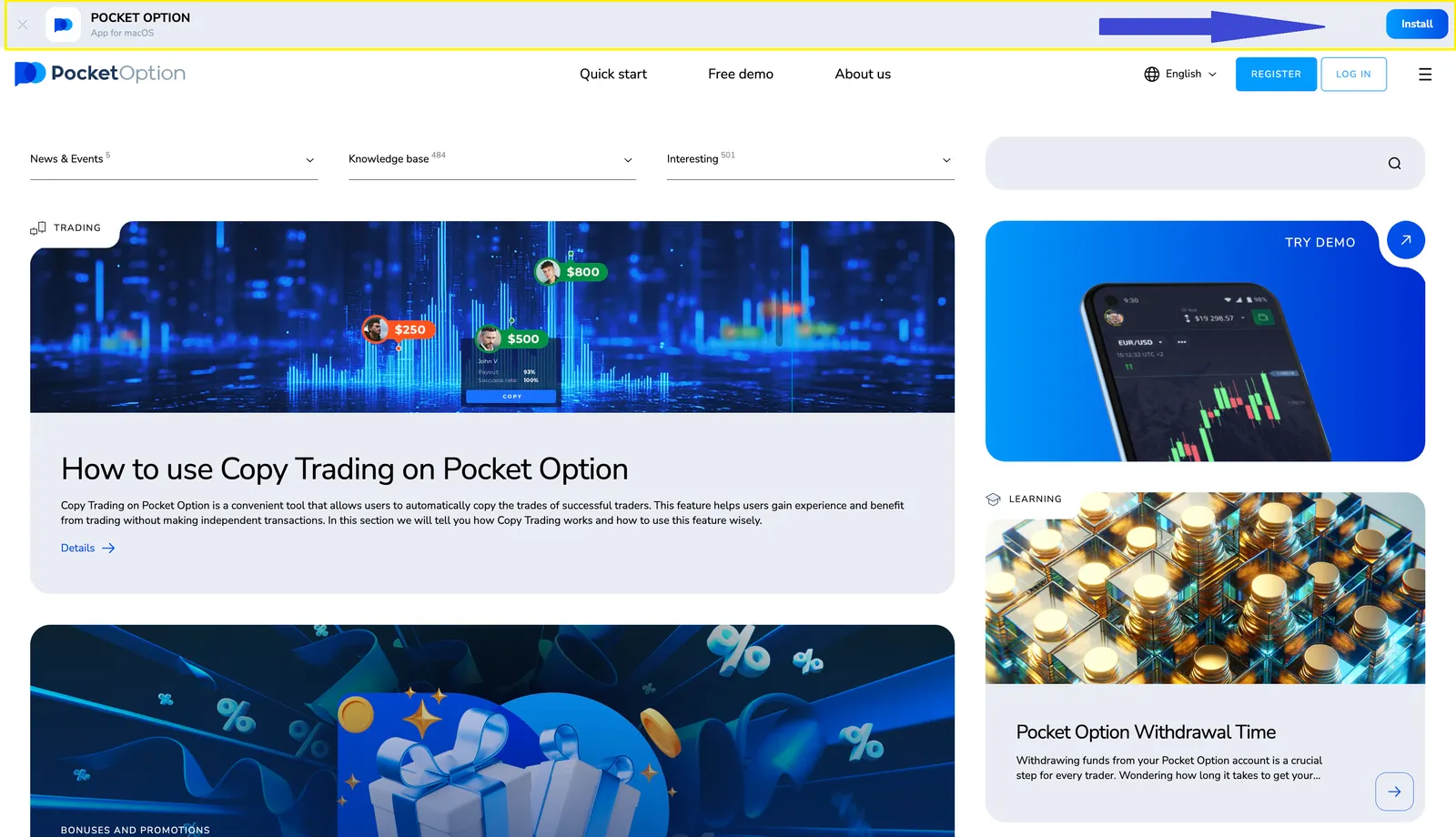
Install for MacOS:
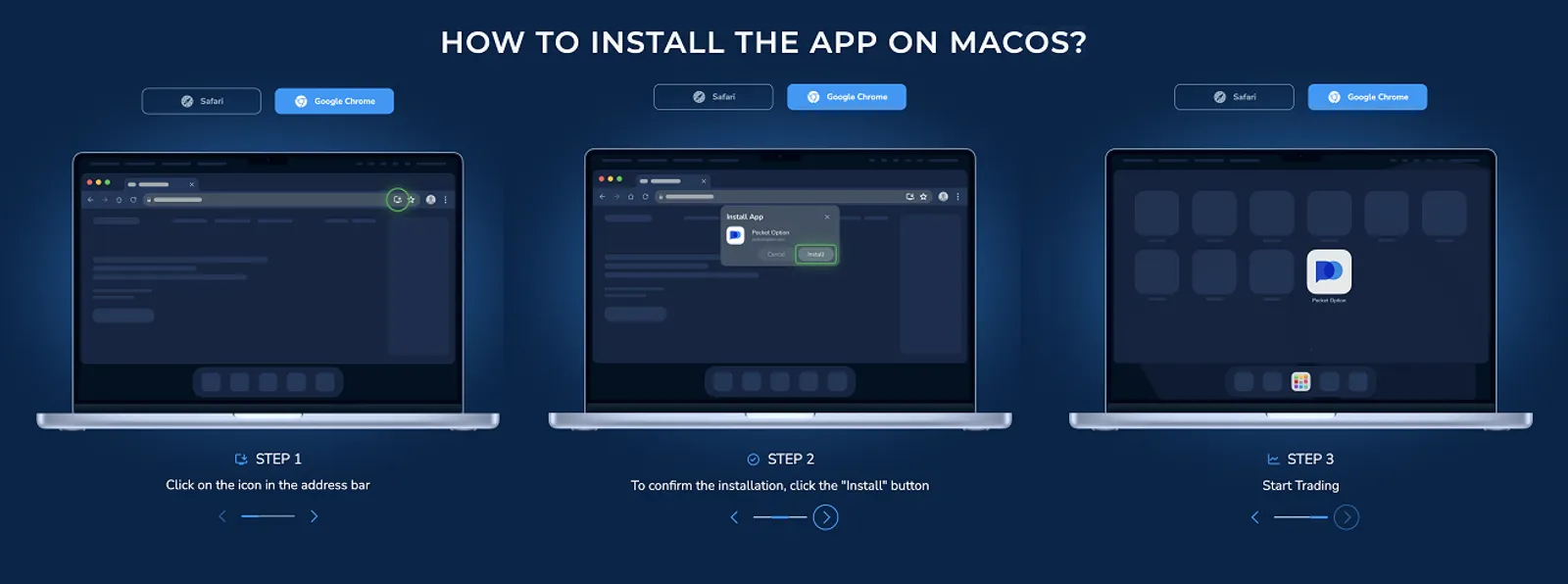
Download the app directly from our blog, find the special link at the top of the screen and download simply and for free!
Start Earning Real Profits - Fund Your Account Today
👉 Once you install Pocket Option on your PC, you unlock the full potential of professional-grade trading. But to truly benefit from everything the platform offers -- from high-return Quick Trading to intelligent signals and Copy Trading -- you need a funded live account. 👉 The best part? You can get started with as little as $5 (depending on your country and payment method), and instantly receive a 50% bonus on your first deposit using promo code 50START.
Setting Up Your Pocket Option Account
Once you've completed the download and installation process, you'll need to set up your account:
| Step | Action |
|---|---|
| 1 | Launch the Pocket Option application |
| 2 | Click on "Sign Up" if you're a new user, or "Log In" if you already have an account |
| 3 | Fill in the required information or enter your existing credentials |
| 4 | Verify your email address if you're a new user |
Navigating the Pocket Option Desktop Interface
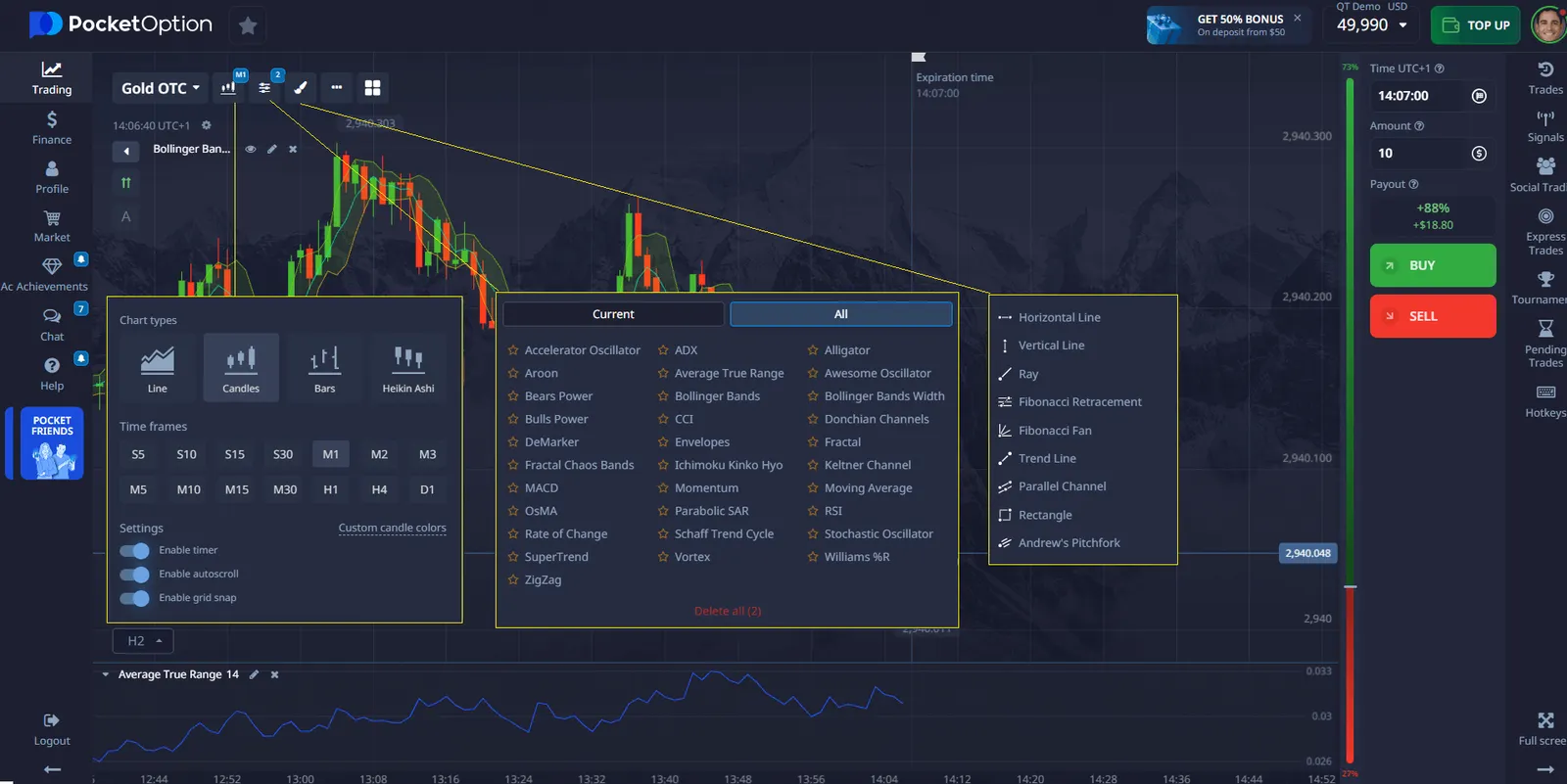
After setting up your account, take some time to familiarize yourself with the desktop interface. Here are some key areas to explore:
- Asset selection: Choose from a variety of trading instruments
- Chart analysis tools: Access technical indicators and drawing tools
- Account management: Monitor your balance and transaction history
- Settings: Customize the platform according to your preferences
Tips for Optimizing Your Trading Experience
To make the most of Pocket Option on your PC, consider the following tips:
| Tip | Description |
|---|---|
| Use multiple monitors | Expand your workspace for better market analysis |
| Customize hotkeys | Set up shortcuts for faster trading execution |
| Utilize demo account | Practice strategies without risking real money |
| Keep software updated | Ensure you have the latest features and security patches |
Troubleshooting Common Issues
If you encounter any problems while trying to download Pocket Option for PC or during its use, here are some common issues and their solutions:
- Installation fails: Ensure you have admin rights and enough disk space
- App crashes: Check for updates or try reinstalling the application
- Slow performance: Close unnecessary background applications
- Connection issues: Verify your internet connection and firewall settings
Comparing Mobile and Desktop Experiences
While both mobile and desktop versions of Pocket Option offer similar functionalities, there are some notable differences:
| Feature | Mobile | Desktop |
|---|---|---|
| Screen Size | Limited | Larger, more detailed view |
| Chart Analysis | Basic tools | Advanced charting capabilities |
| Multitasking | Challenging | Easy to manage multiple windows |
| Portability | High | Limited to computer location |
Security Considerations
When using Pocket Option on your PC, it's important to prioritize security:
- Use strong, unique passwords for your account
- Enable two-factor authentication if available
- Keep your operating system and antivirus software up to date
- Avoid using public Wi-Fi for trading activities
- Log out of your account when not in use