
How to Change Name on Pocket Option: Updating Your Profile Information
If you're wondering how to change name on Pocket Option, you've come to the right place. This article will guide you through the process of changing your name on Pocket Option.

How to Change Your Name on Pocket Option
If you need to change your name on Pocket Option, the process is simple, though it requires contacting customer support directly. Whether due to a legal change or a correction, Pocket Option provides a straightforward way to update your account information.
Contacting Pocket Option Support
To change your name, you can easily get in touch with Pocket Option’s support team. Here's how:
- Log into your account on Pocket Option.
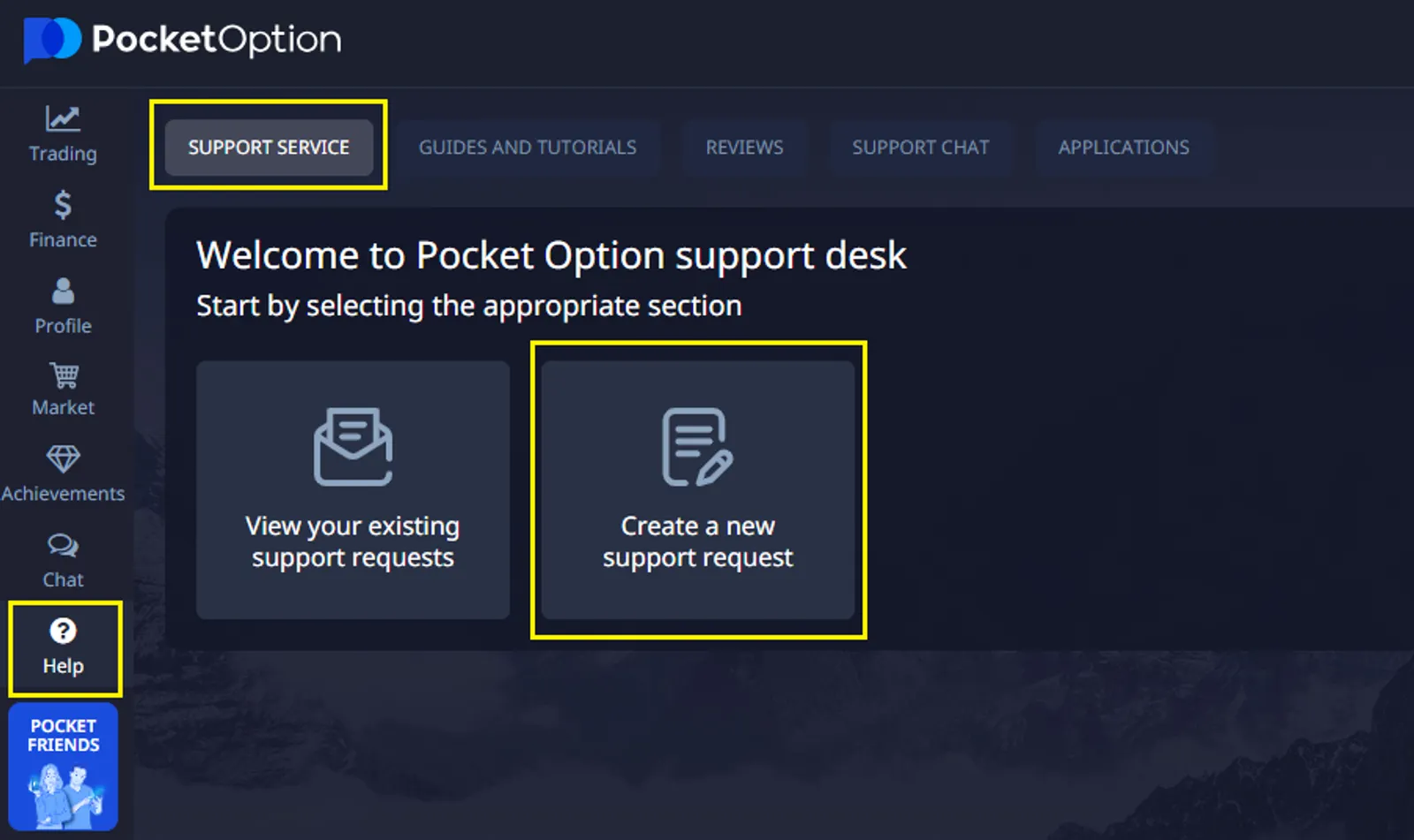
- Navigate to the Help section.
- Select Support Service, and you can submit a request or contact the support team directly.
- Let us know what name you need to have on your account in the format of:
NAME: ******
SURNAME: ******
By following these steps, you can successfully change your name on Pocket Option and continue trading without interruptions.
Common Reasons for Changing Names on Trading Platforms
There are several situations where you might need to know how to change your name on Pocket Option:
| Reason | Description |
|---|---|
| Marriage or Divorce | Legal name changes due to marital status updates |
| Correction of Errors | Fixing typos or mistakes made during registration |
| Legal Name Change | Court-ordered name changes for various reasons |
| Use of Preferred Name | Updating to a commonly used name or nickname |
Regardless of the reason, Pocket Option allows you to easily update your account information by contacting their support team.
Best Practices When Changing Your Name on Pocket Option
To ensure a smooth name change process on Pocket Option, keep these tips in mind:
- Double-check all information before submitting your request to avoid errors.
- Prepare necessary documents such as proof of your name change (e.g., marriage certificate, legal documents).
- Respond promptly to any verification requests from Pocket Option to avoid delays in processing your request.
- Update your name across all linked accounts and services to keep everything consistent.
By following these steps, you can successfully change your name on Pocket Option and continue trading without interruptions.