
Best Indicators for Day Trading Analysis
The financial markets require precise analysis tools for successful trading decisions. This article explores proven technical indicators and their practical applications in day trading, helping traders develop effective market strategies.

Best Indicators for Day Trading
Pocket Option offers a wide range of technical analysis tools that help traders make well-informed trading decisions. Day trading indicators assist traders in identifying market trends, determining entry and exit points, and minimizing potential risks.
For effective analysis, up to 30 indicators can be used simultaneously, with customizable parameters to suit individual strategies. Pocket option best indicator strategy
What Are the Best Indicators for Day Trading?
To select the best indicators for day trading, it is essential to consider their functionality, ease of use, and compatibility with the trading strategy. The table below presents the best day trading indicators available on Pocket Option:
| Indicator | Purpose | Key Features |
|---|---|---|
| Moving Averages (MA) | Trend identification | Simple to configure, used to detect long-term and short-term trends |
| RSI (Relative Strength Index) | Trend strength evaluation | Highlights overbought and oversold zones, helps identify reversals |
| MACD (Moving Average Convergence Divergence) | Trend change analysis | Suitable for identifying entry points based on divergences |
| Bollinger Bands | Volatility measurement | Helps identify breakout moments from a narrow market range |
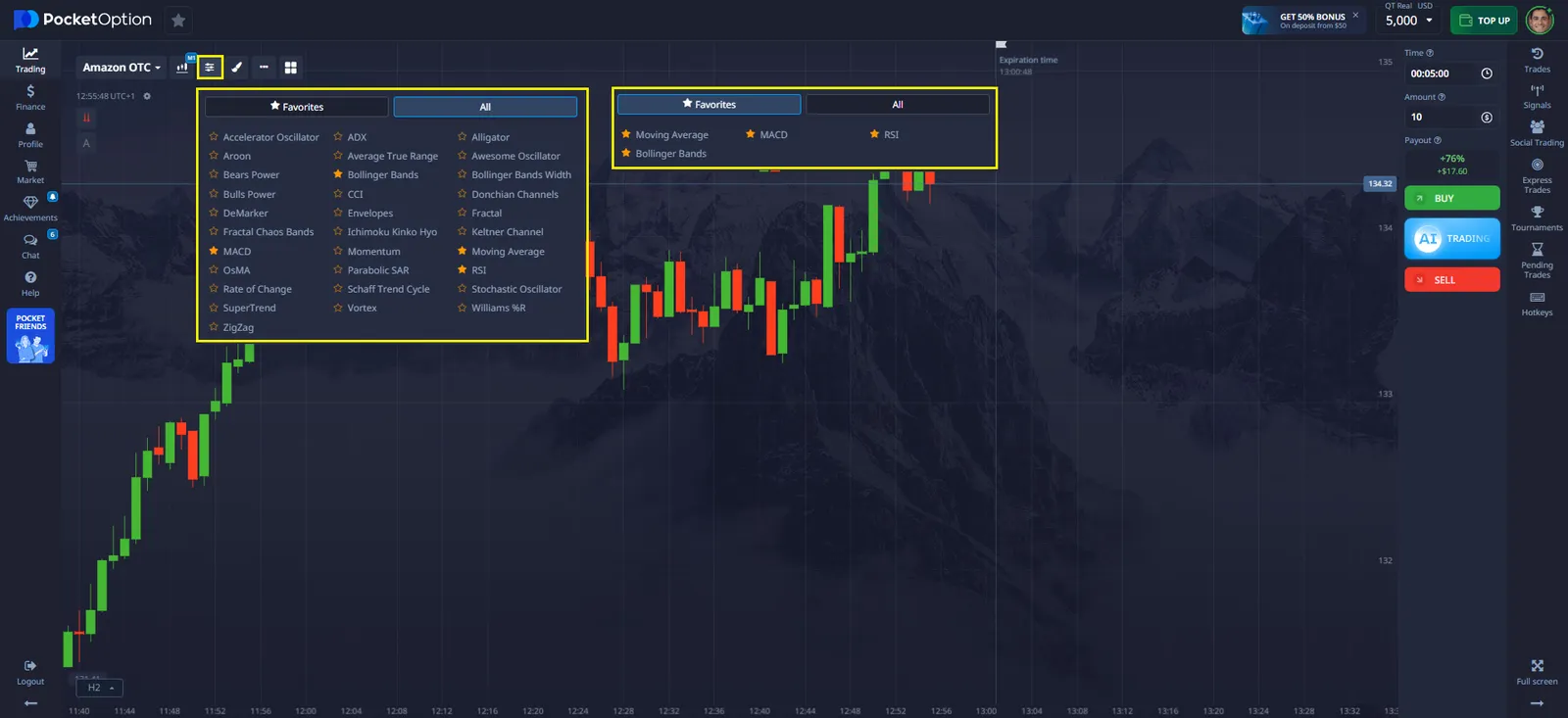
All these best indicators for day trading can be found in the Indicators section on the Pocket Option platform and added to favorites for quick access.
How to Add and Customize Indicators on Pocket Option?
Using indicators on Pocket Option enhances the accuracy of market analysis. To add indicators, follow these steps:
Adding Indicators
- Navigate to the Indicators section in the upper left corner of the interface.
- Select the desired indicator and click on it.
- To save an indicator as a favorite, click on the star icon next to its name.
Adjusting Parameters
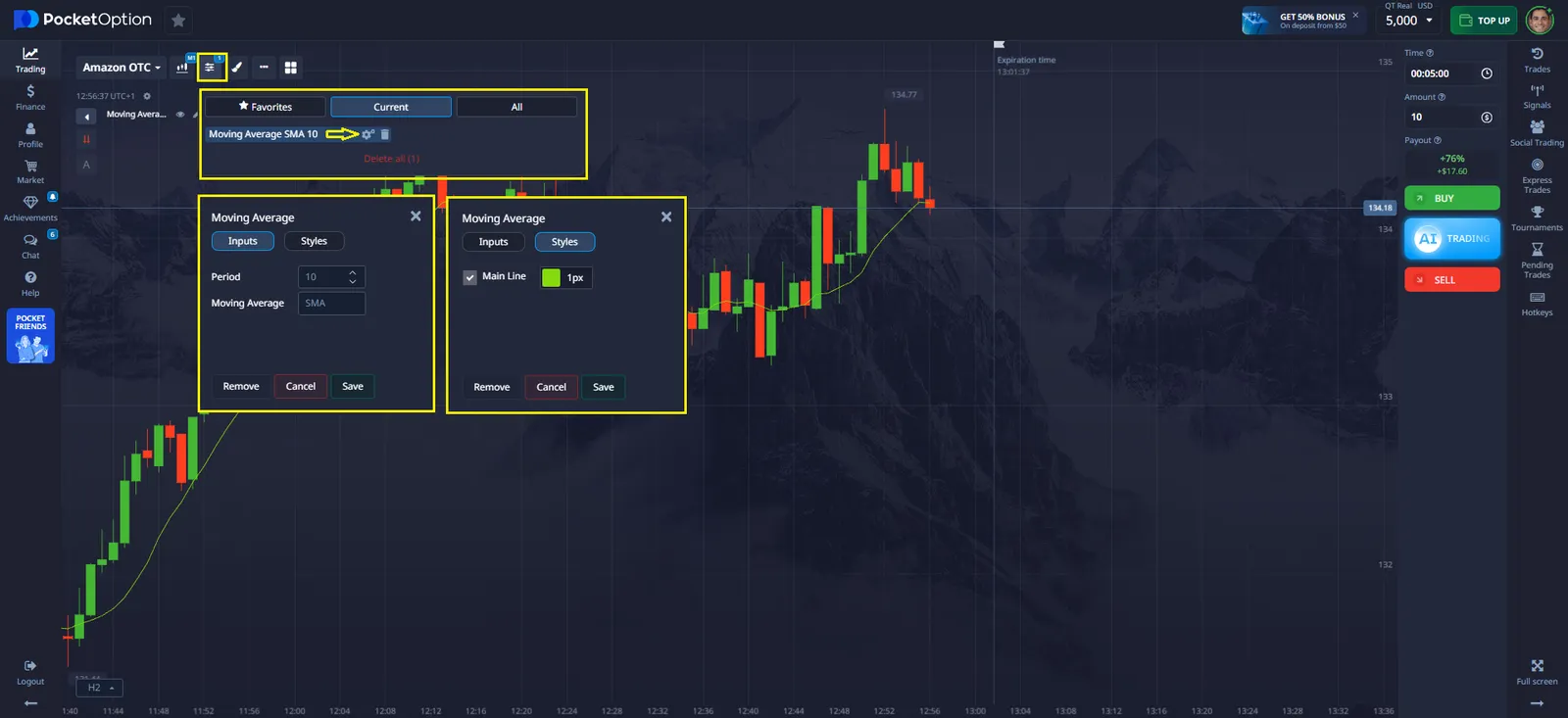
- Each indicator allows modifications such as color, line thickness, calculation period, and other settings.
- Settings are available through the settings icon next to the active indicator.
Removing Indicators
- Open the Indicators section, go to Active, and click the trash bin icon next to the indicator.
- To remove all indicators, use the "Remove All" button.
Conclusion
Indicators are an essential part of day trading, enabling traders to analyze the market and make well-informed decisions. Utilizing technical analysis helps identify trends, determine optimal entry and exit points, and minimize risks.
The Pocket Option platform offers a variety of analysis tools that can be customized to fit individual trading strategies. Proper use of indicators enhances forecasting accuracy and contributes to more effective trade management.
Voir plus:beginnerintradayplatformInterestingTrading platforms