
How to Perform a Pocket Option Internal Transfer — Full Guide
Pocket Option Internal Transfer is a fast, fee-free way to move funds between MT and Quick Trading balances in one account.
BearishEdited
Want more options?
Top up your account or transfer money within your account
Can You Transfer Funds Between Different Pocket Option Accounts?
While transfer between different owners is not allowed, internal fund transfers are simple, secure, and follow strict platform security protocols. This fund transfer guide covers account verification requirements, transfer restrictions, and expert tips to ensure smooth transactions. Transfer between different owners (different User IDs) is strictly prohibited. This transfer restriction ensures compliance with platform security protocols and reduces the risk of fraud.
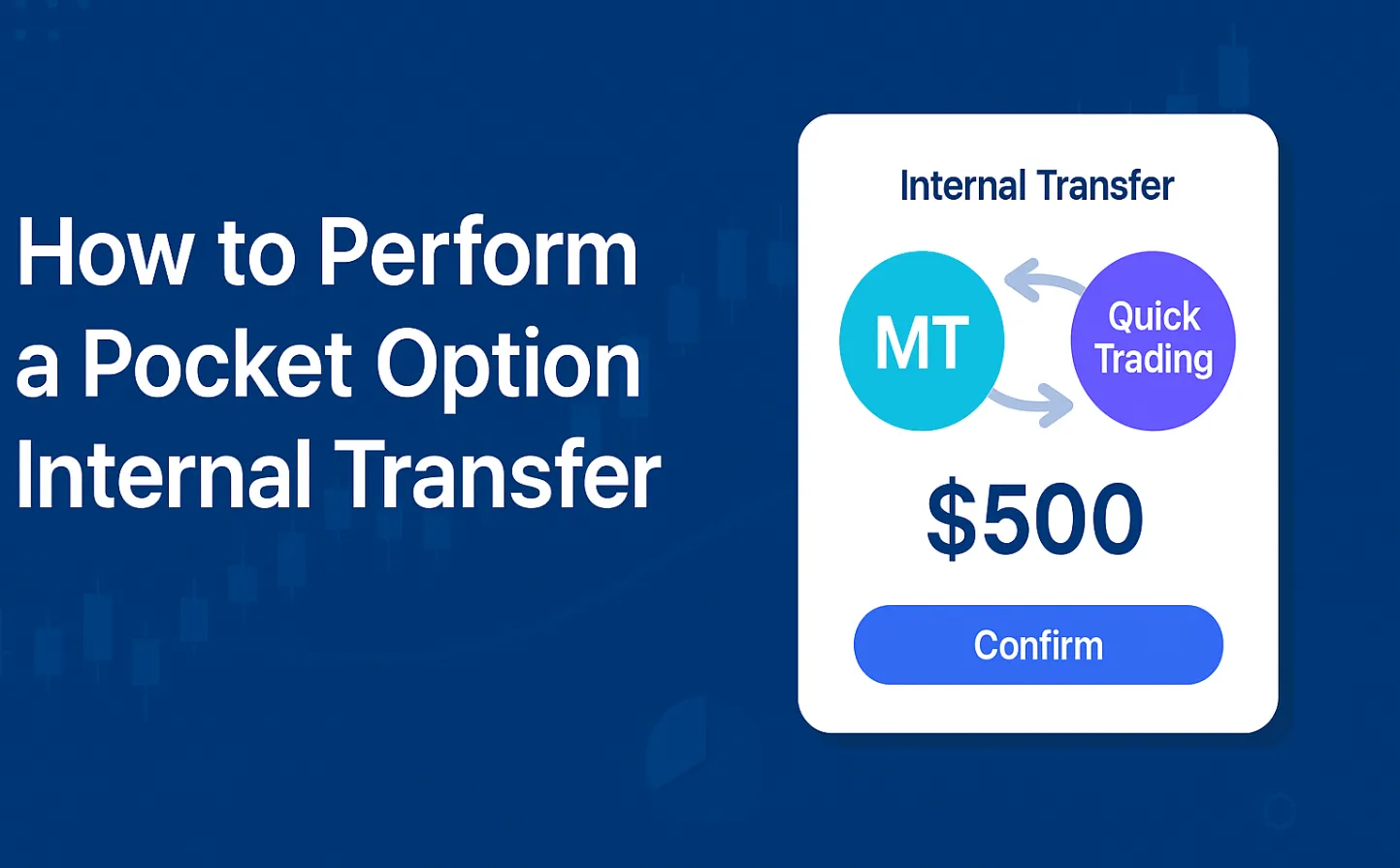
However, pocket option transfers between MT and Quick Trading within the same account are available to all users who meet account verification requirements.
| Transfer Type | Availability | Features |
|---|---|---|
| Between different accounts | ❌ Not available | Transfer between different owners is restricted to maintain security practices |
| Between MT and Quick Trading balances | ✅ Available | Internal fund transfers with no transfer fees, usually within minutes |
| Depositing from external sources | ✅ Available | Bank cards, e-wallets, cryptocurrencies, international bank transfers |
Account Verification Requirements for Internal Transfers
Before you can make a pocket option internal transfer, your account may need to meet specific account verification levels:
- Basic Verification -- Required for deposits, trading, and withdrawals up to certain transfer limits.
- Full Verification (KYC) -- Needed to unlock unlimited internal fund transfers and higher withdrawal limits.
Document Checklist:
- Government-issued ID
- Proof of address (utility bill, bank statement)
- Email & phone confirmation
💡 Expert Insight: "We’ve noticed that over 80% of transfer delays come from incomplete KYC documentation. Submitting clear, high-resolution copies of your documents can speed up processing time by 50%." -- Mark Davis, Financial Compliance Analyst
Step-by-Step Transfer Guide
Follow this step-by-step transfer method to ensure smooth internal transfers:
- Log in to your account.
- Switch to the real account on the top panel of the platform.
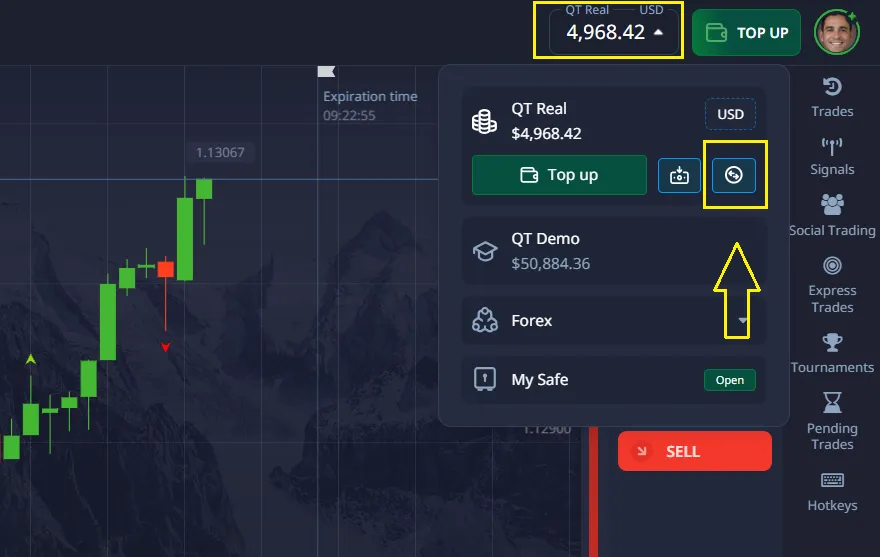
- Click on the Internal Transfers icon.
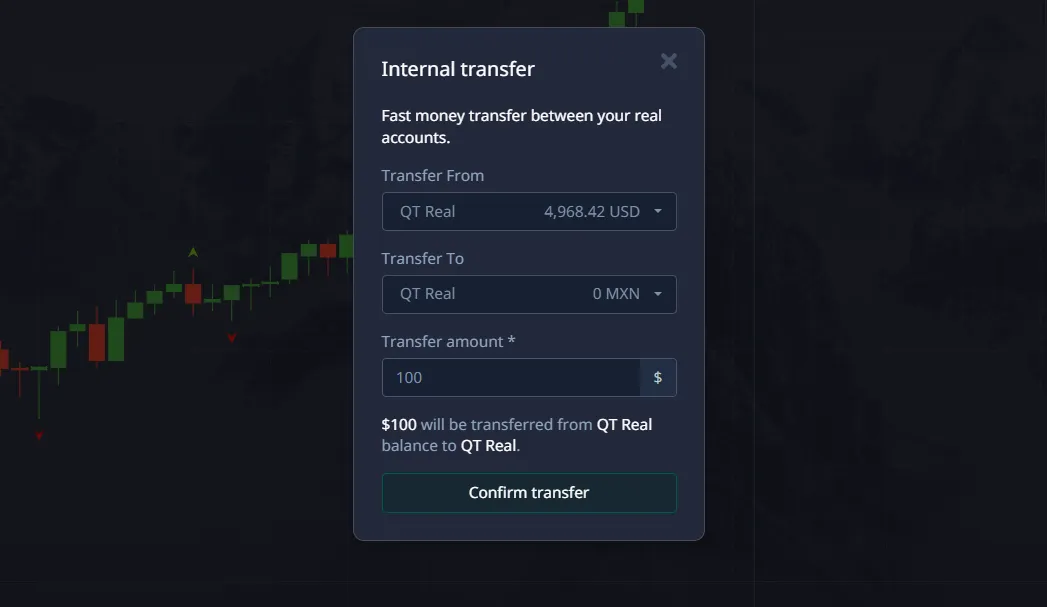
- Choose your source balance (MT or Quick Trading).
- Select your target balance.
- Enter the transfer amount.
- Confirm the transaction.
⏱ Processing Time: Normally within minutes, but may vary based on system load.
Transfer Troubleshooting -- Common Issues & Fixes
| Problem | Possible Cause | Solution |
|---|---|---|
| Transfer not appearing | System delay | Wait up to 15 minutes; refresh page |
| Transfer failed | Account not fully verified | Complete account verification requirements |
| Transfer blocked | Security review | Contact Support with transaction details |
| Wrong balance selected | User input error | Double-check before confirming |
💡 Pro Tip: "If you experience repeated issues, switch your browser or mobile app version -- outdated software can cause transaction errors." -- Sarah Lee, Trading Platform Specialist
Alternative Deposit Methods
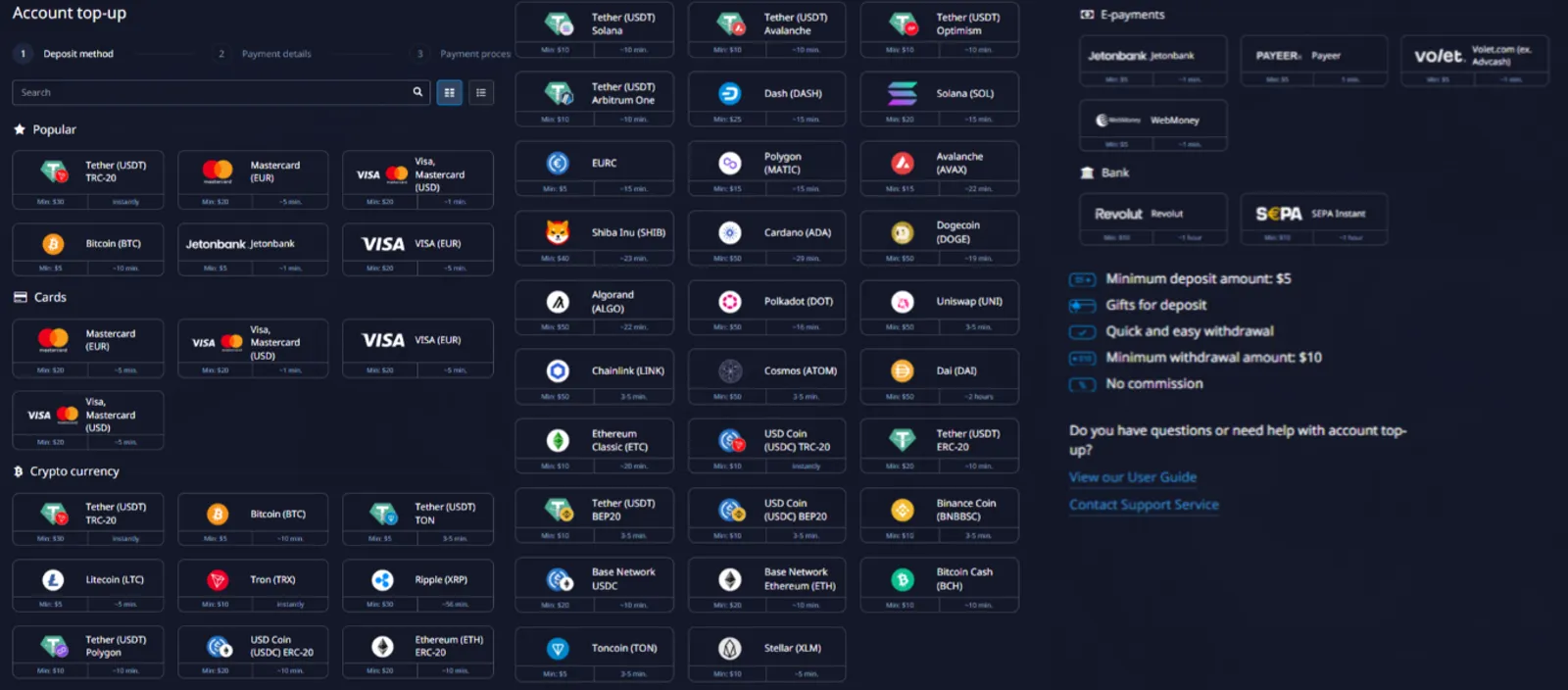
If you need to fund another account or cannot make an internal fund transfer, you can use:
- Bank Cards: Visa, MasterCard
- E-Wallet Alternatives: Skrill, Neteller, Perfect Money
- Cryptocurrency Payments: Bitcoin, Ethereum, USDT
- International Bank Transfers
📊 Industry Data: According to a 2024 Statista report, over 42% of online traders prefer e-wallet alternatives for speed and lower fees compared to bank transfers.
Security Practices & Risk Management
Pocket Option implements platform security protocols such as:
- Two-factor authentication (2FA)
- Encrypted data transfer
- Manual verification for large transactions
💬 Expert Recommendation: "Always enable 2FA and avoid making transfers over public Wi-Fi. This is a simple but effective step to protect your funds." -- John Peterson, Cybersecurity Consultant
Trader Feedback on Internal Transfers
"I regularly move profits from MT to Quick Trading to seize short-term opportunities. Never had a delay." -- Alex Morgan
"The internal transfer process is straightforward. KYC took me 2 days but after that, it’s been smooth." -- Linda Roberts
"I like that there are no transfer fees. Processing time is usually under 5 minutes for me." -- Michael Adams
Transfer Restrictions and Conditions
Pocket Option does not set specific monetary limits on a pocket option internal transfer. However, transfers must meet certain conditions:
- Both accounts must be registered under the same Pocket Option profile (i.e., have the same UID).
- When transferring funds back to Quick Trading, there must be no open positions in MT5.
- Active bonuses that restrict internal transfers will prevent the transfer from being completed.
These conditions ensure proper and secure movement of funds within the platform. If you have any additional questions, feel free to contact Support. If you encounter any issues with a deposit, you can submit a request to the technical support team directly from your account dashboard.
See more:withdrawbeginnerplatformInterestingTrading platforms
Comments 0